How can your company / the customer approve the onboarding / KYC workflow?
There are several ways to approve an onboarding / KYC workflow
1. Self-disclosure by the customer
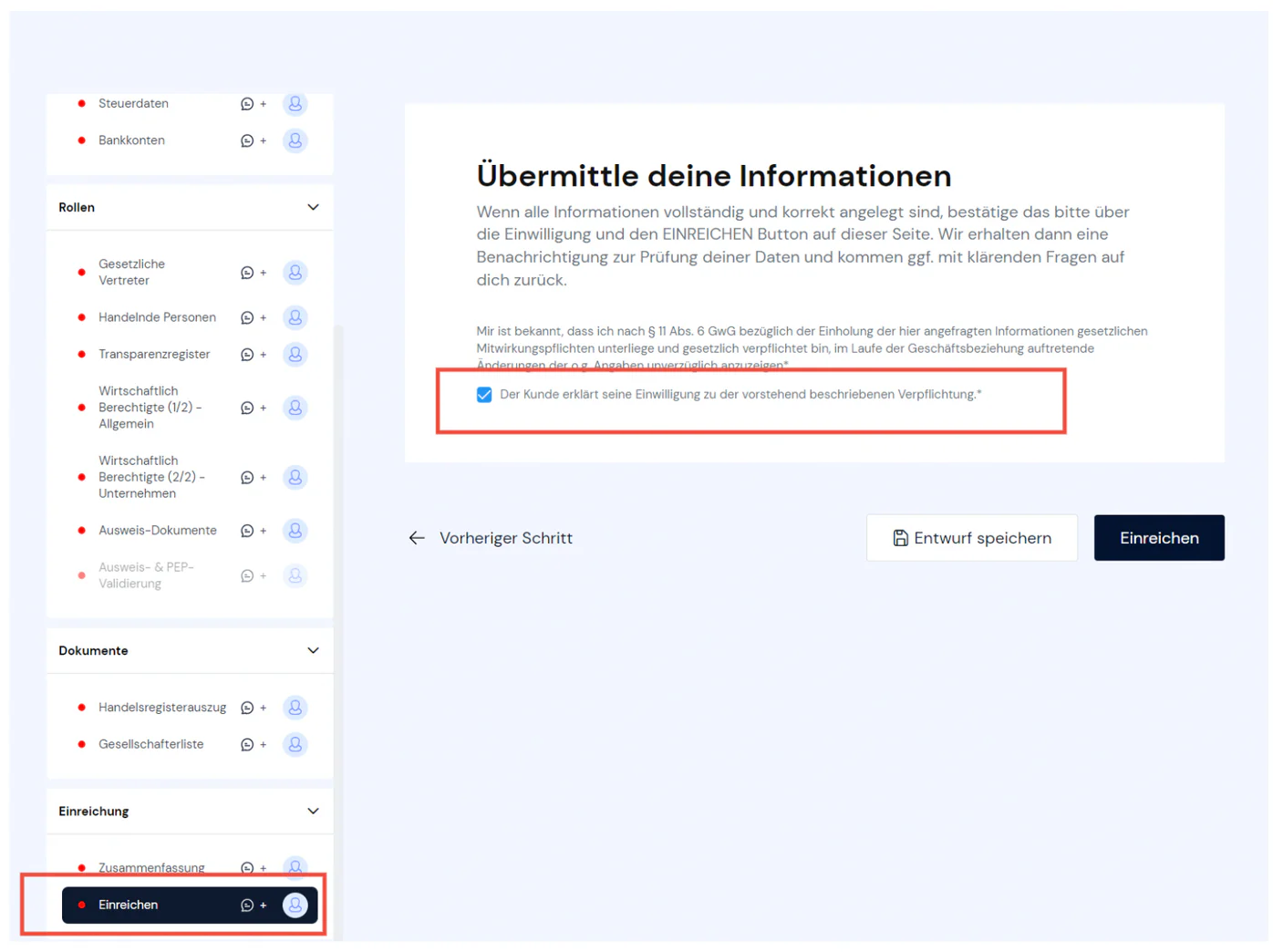
You have shared the onboarding / KYC workflow with your customer (see XXXX) so that they can confirm or correct any pre-filled data and add missing data. On the last page of the workflow, SUBMIT (see figure), the customer confirms that the data is complete and correct. Once they have submitted the workflow, you will receive a notification from the system.
Confirmation by the regulated company - upload customer consent
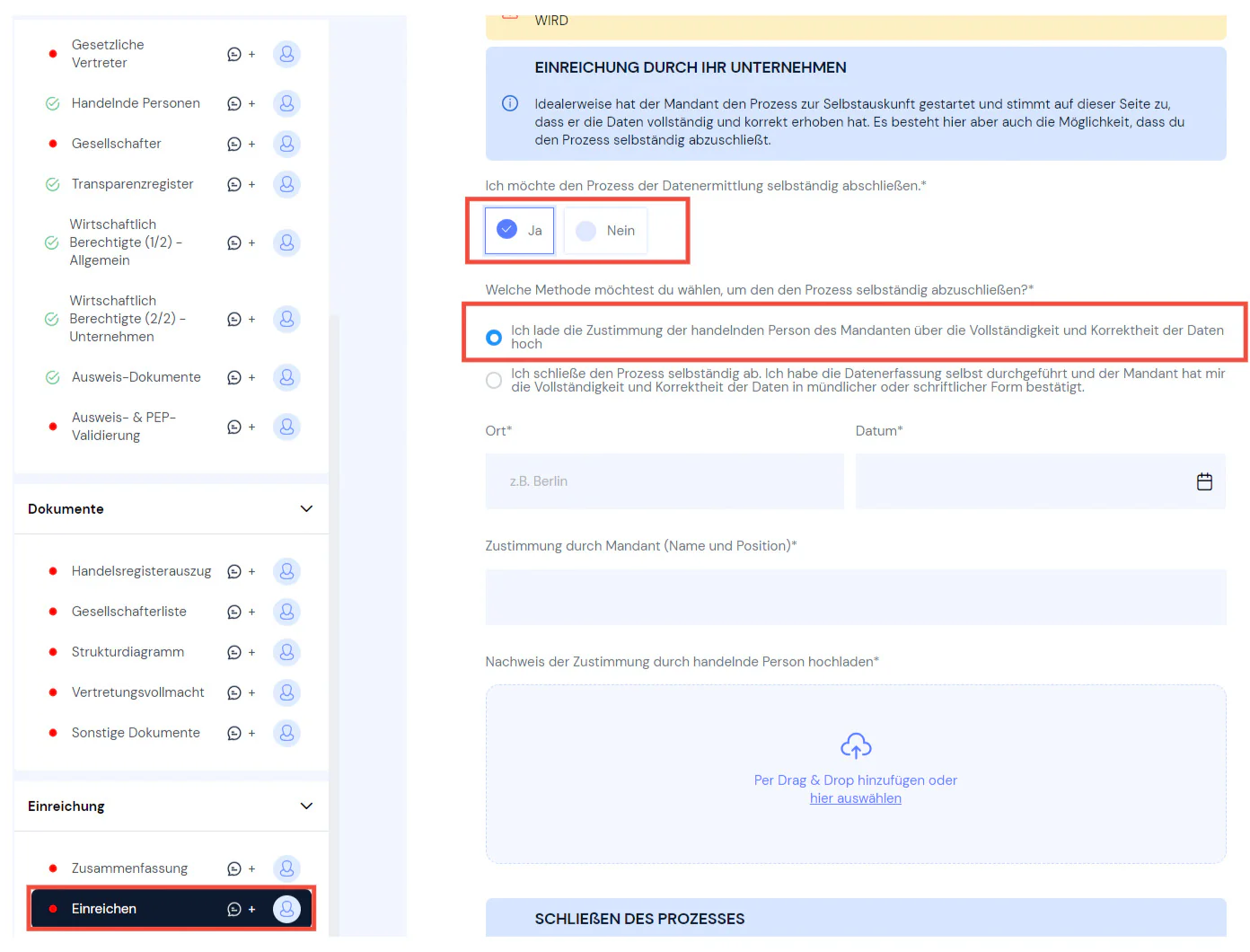
If you have not shared the workflow with the customer for self-disclosure, you can upload a written consent from the customer confirming that the data is complete and correct. For example, you can capture all of your customer's data yourself and send them the PDF report generated for each workflow on the SUMMARY page.
Once the customer has confirmed in writing that the data is complete and correct, you can complete the process on the SUBMIT page of the workflow and upload the confirmation (see figure)
Confirmation by the regulated company - assurance of correctness
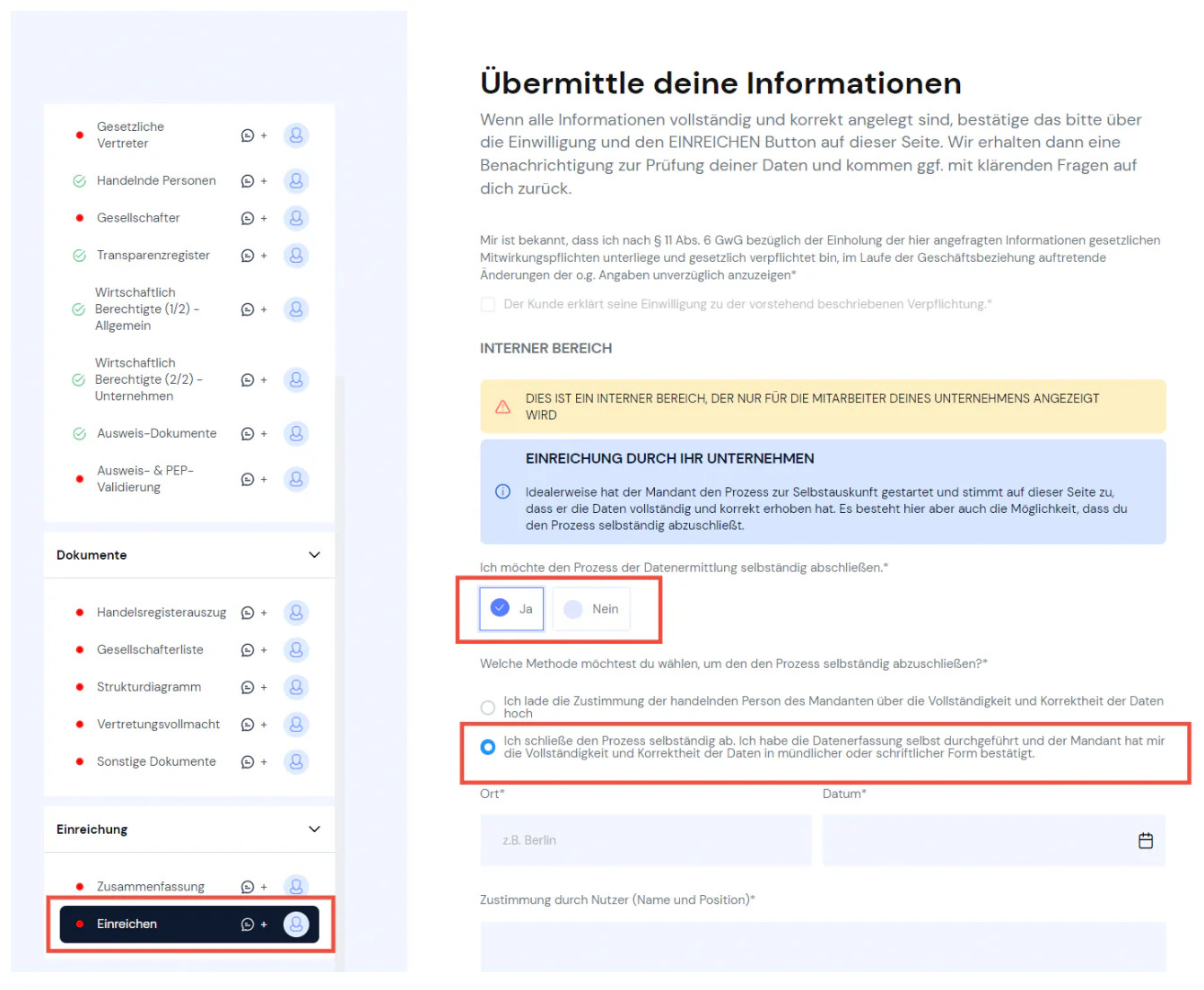
If you have not shared the workflow with the customer for self-disclosure and do not have written confirmation that the data is correct and complete, you can also capture the data yourself and confirm that the client has confirmed the data is complete and correct (see figure).

Still have questions?
Contact us or book a 30-minute demo call directly with our founder Eckhard Ortwein.