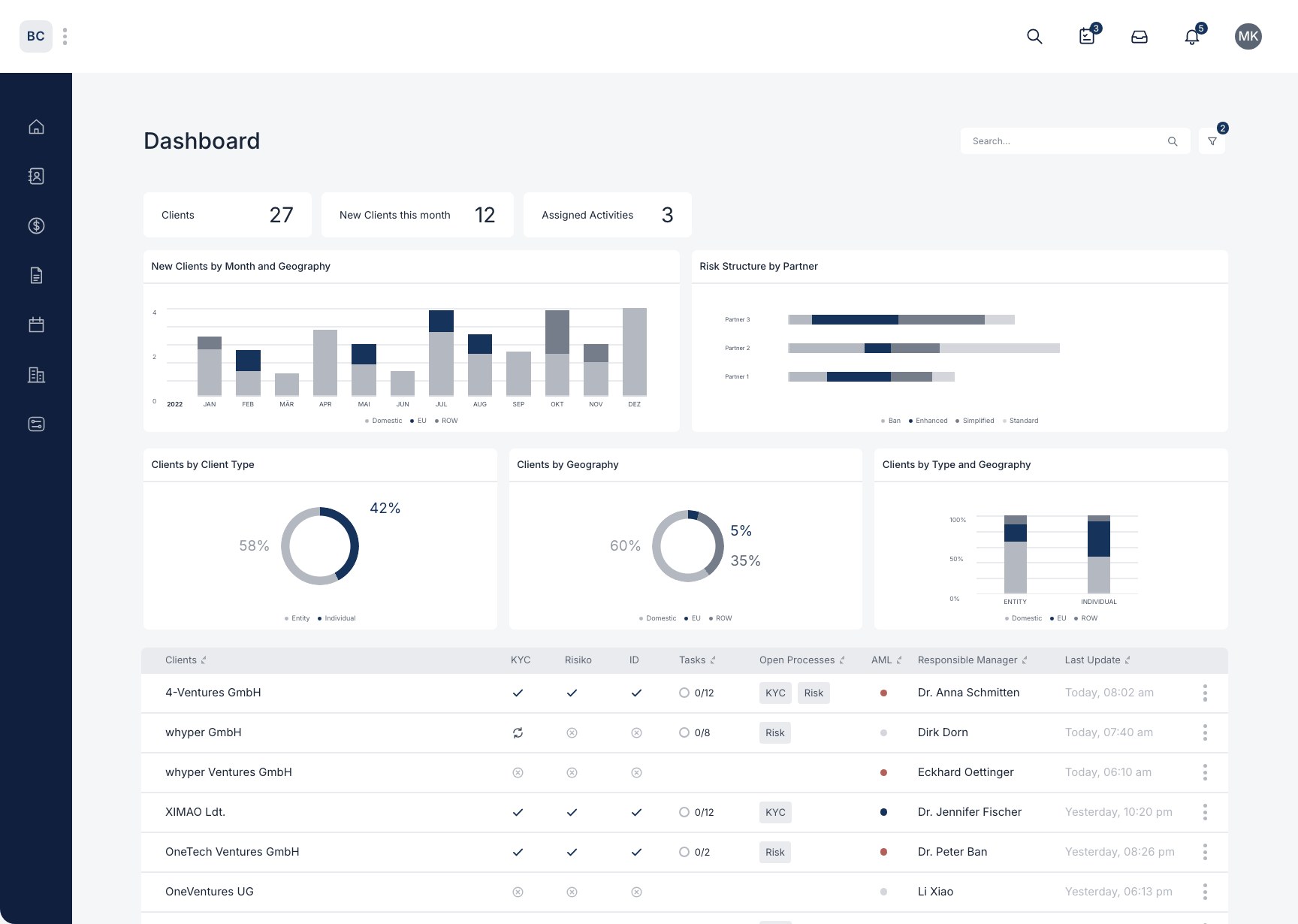
Your workspace
How can you restrict a customer's visibility for team members?
You can decide individually which team members may view, edit, delete and manage which clients. You can also hide clients from specific team members.
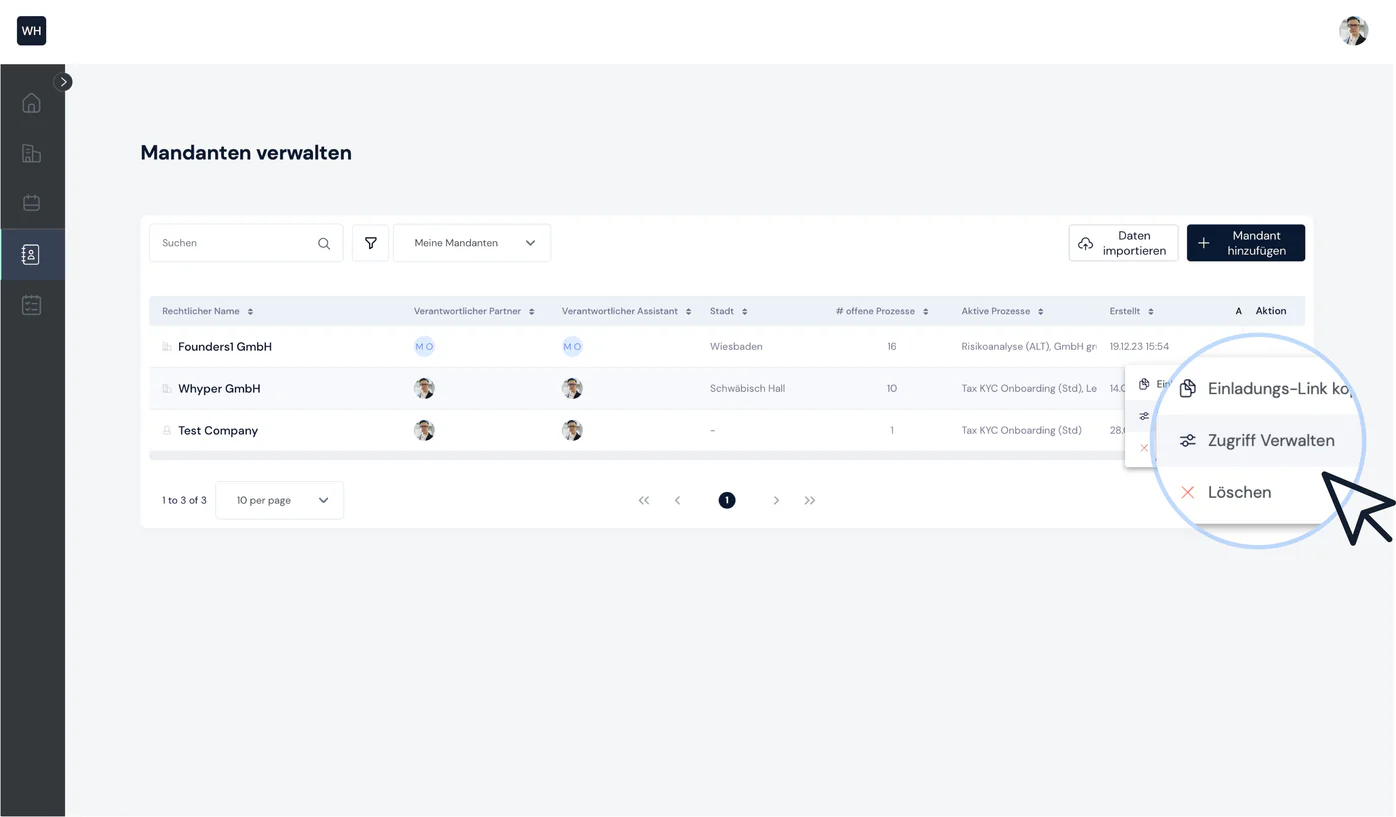
Step 1: Open the client's context menu
To manage access to clients, go to your list of all clients. The context menu contains the “Manage access” option.
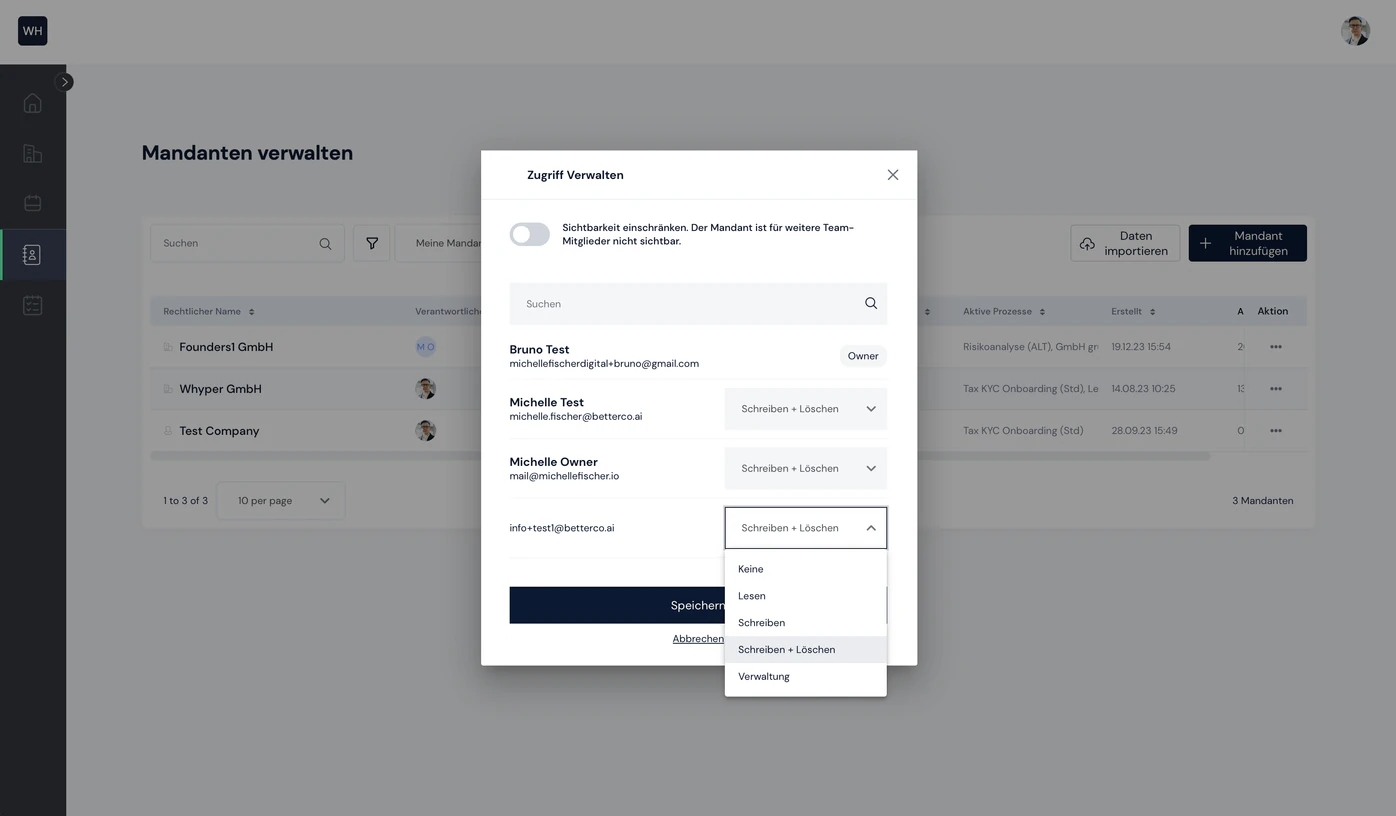
Step 2: Manage access
You can now manage and restrict access for each team member. You can also use the toggle to hide the client from other team members.

Still have questions?
Contact us or book a 30-minute demo call directly with our founder Eckhard Ortwein.