Overview
How do I add other parties to a matter?
1. Edit matter
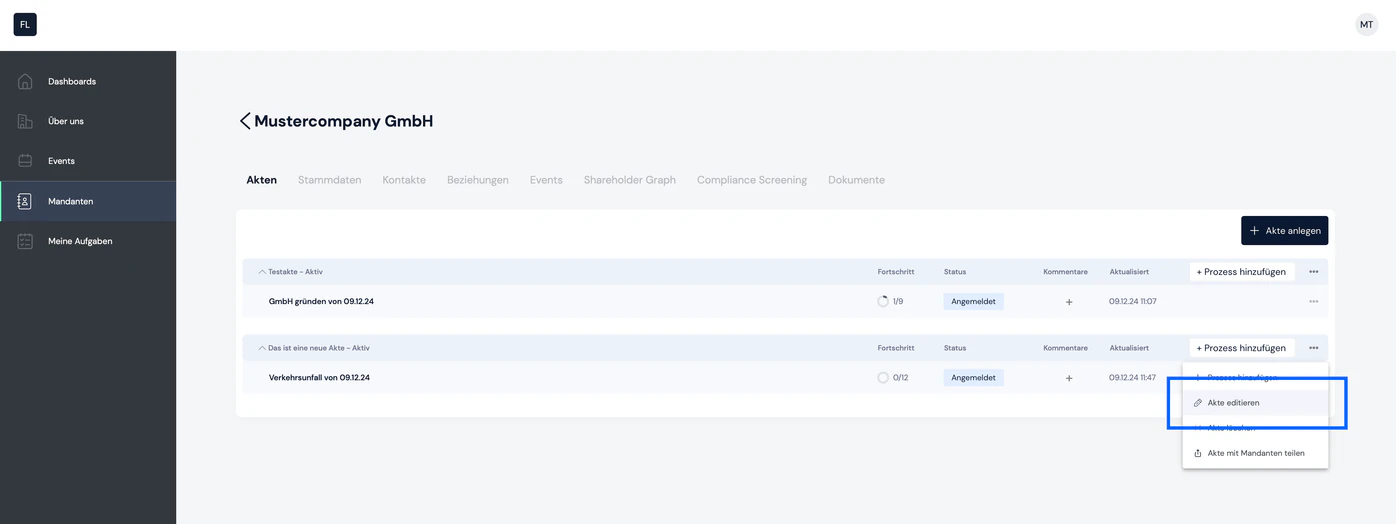
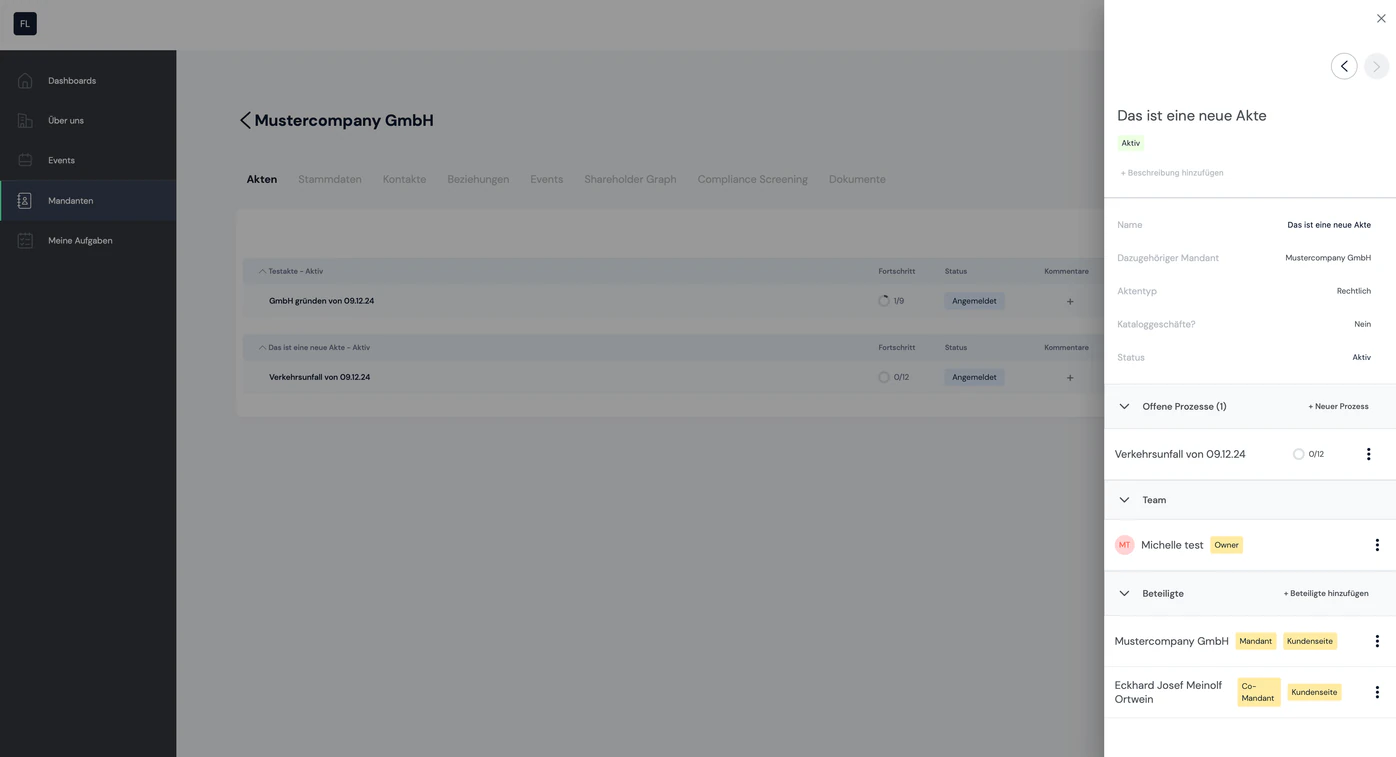
You can use the "Edit matter" function to view, add and remove all participants in the matter. Go to the list of all matters of the client in question. At the far end of the row you will find the context menu (icon with 3 dots). When you open the context menu, you will find the "Edit matter" option.
2. "Add participants" button
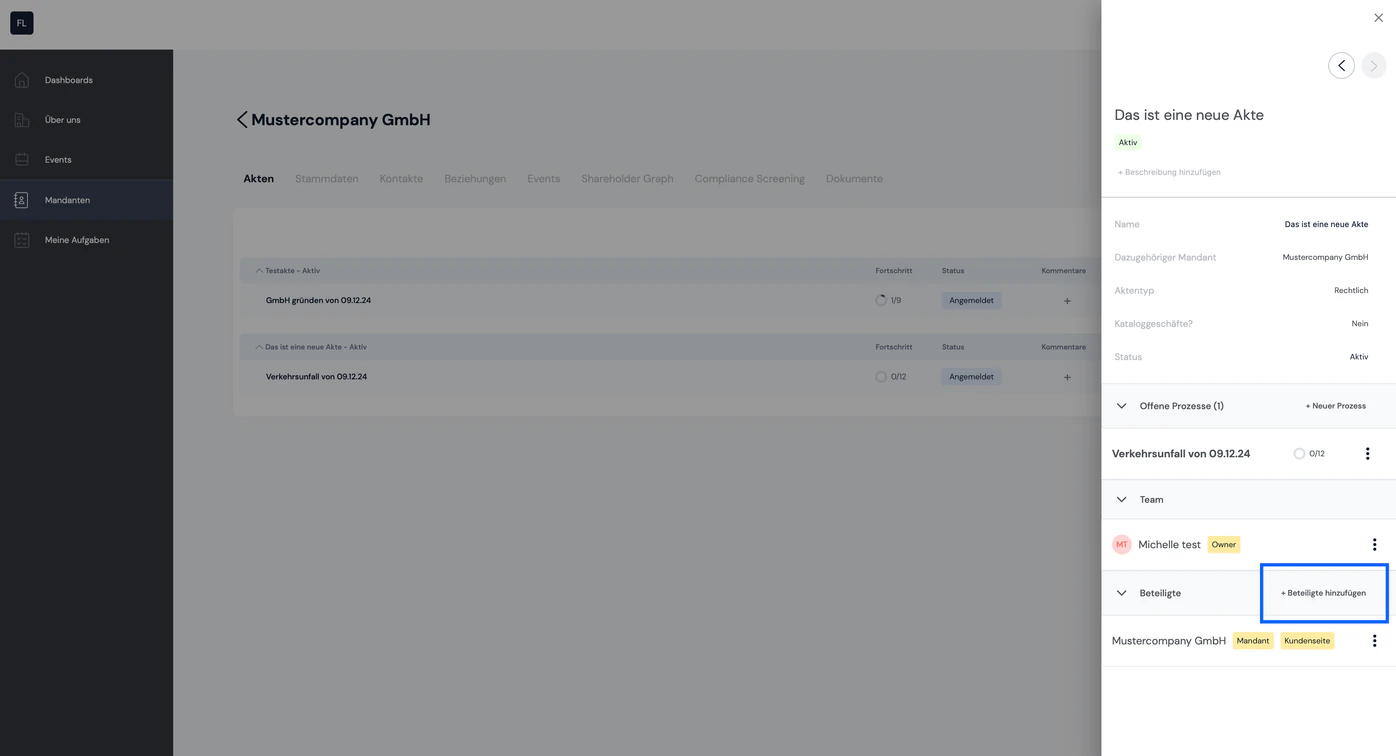
The sidebar now opens with all relevant information about the matter. Among other things, you will find the "Participants" section with the "Add participants" function:
3. Settings
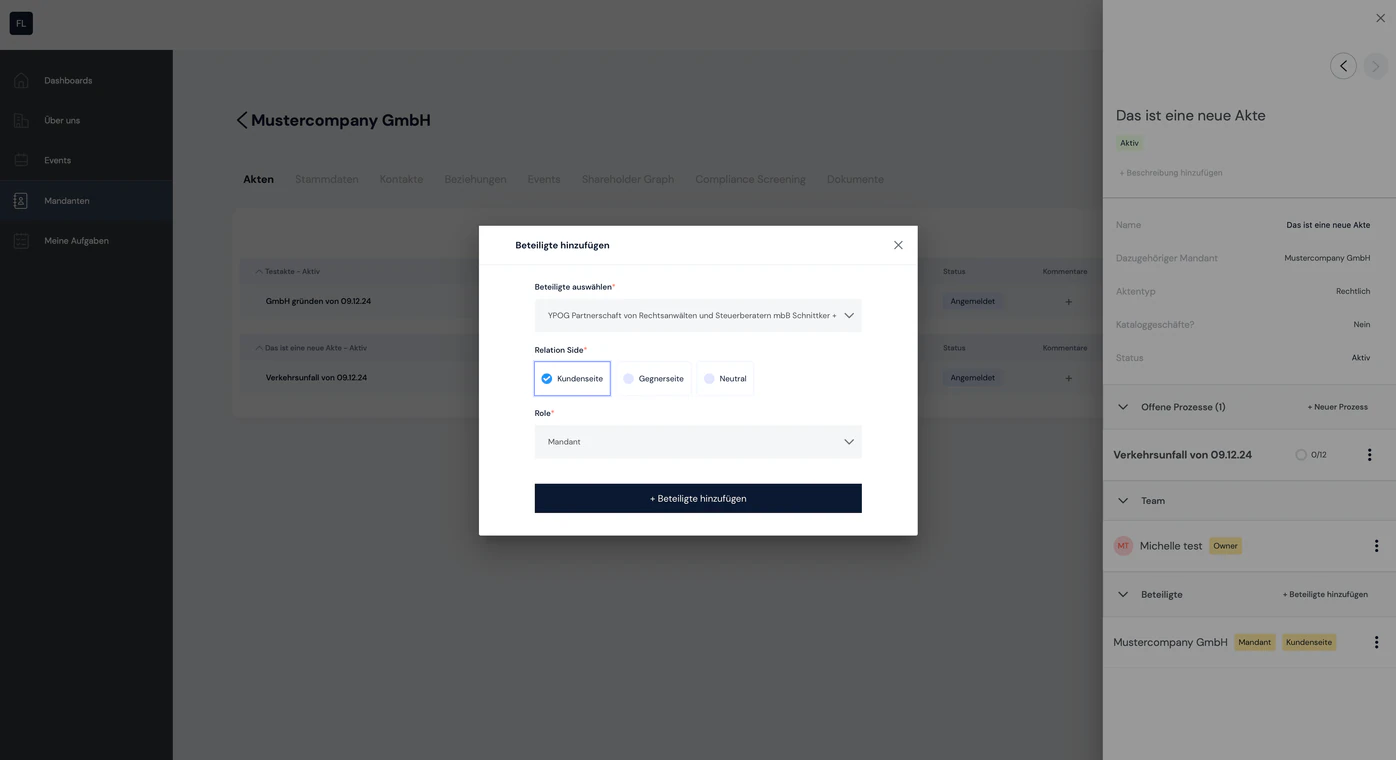
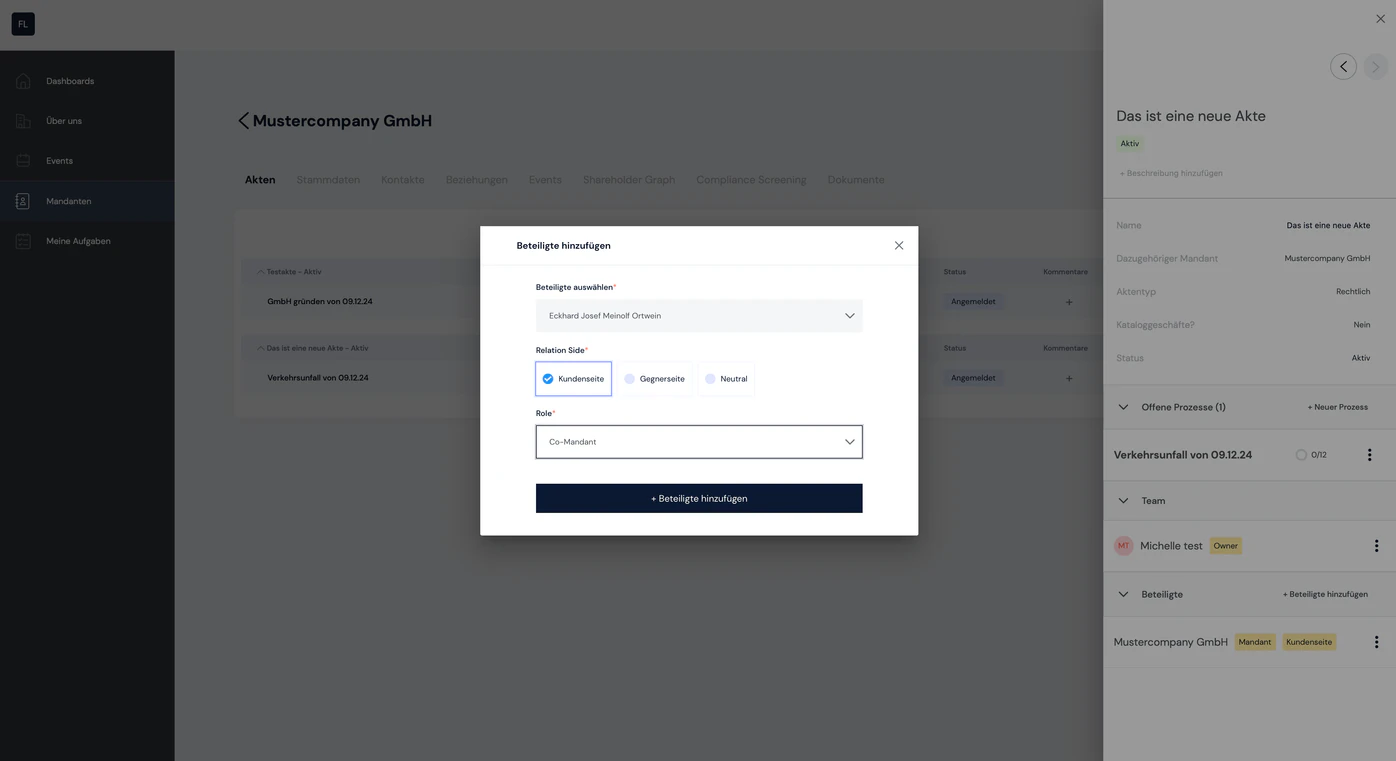
You can now add further participants to the matter:
- Add participants: the list of all your clients is available here
- Relation side: select whether the participant acts on the client side, the opposing side or as a neutral party
- Role: select the role here, e.g. client, co-client, opponent, …
4. The participant has been added
What types / roles of participants are there?
The following roles are currently available:
- Client
- Co-client
- Opponent
- Group Company
- Court
- Administrator
- Authority
- Bank
- Witness

Still have questions?
Contact us or book a 30-minute demo call directly with our founder Eckhard Ortwein.