How do I or the client complete a task in a workflow?
Completing a task as an advisor
Step 1: Open the client
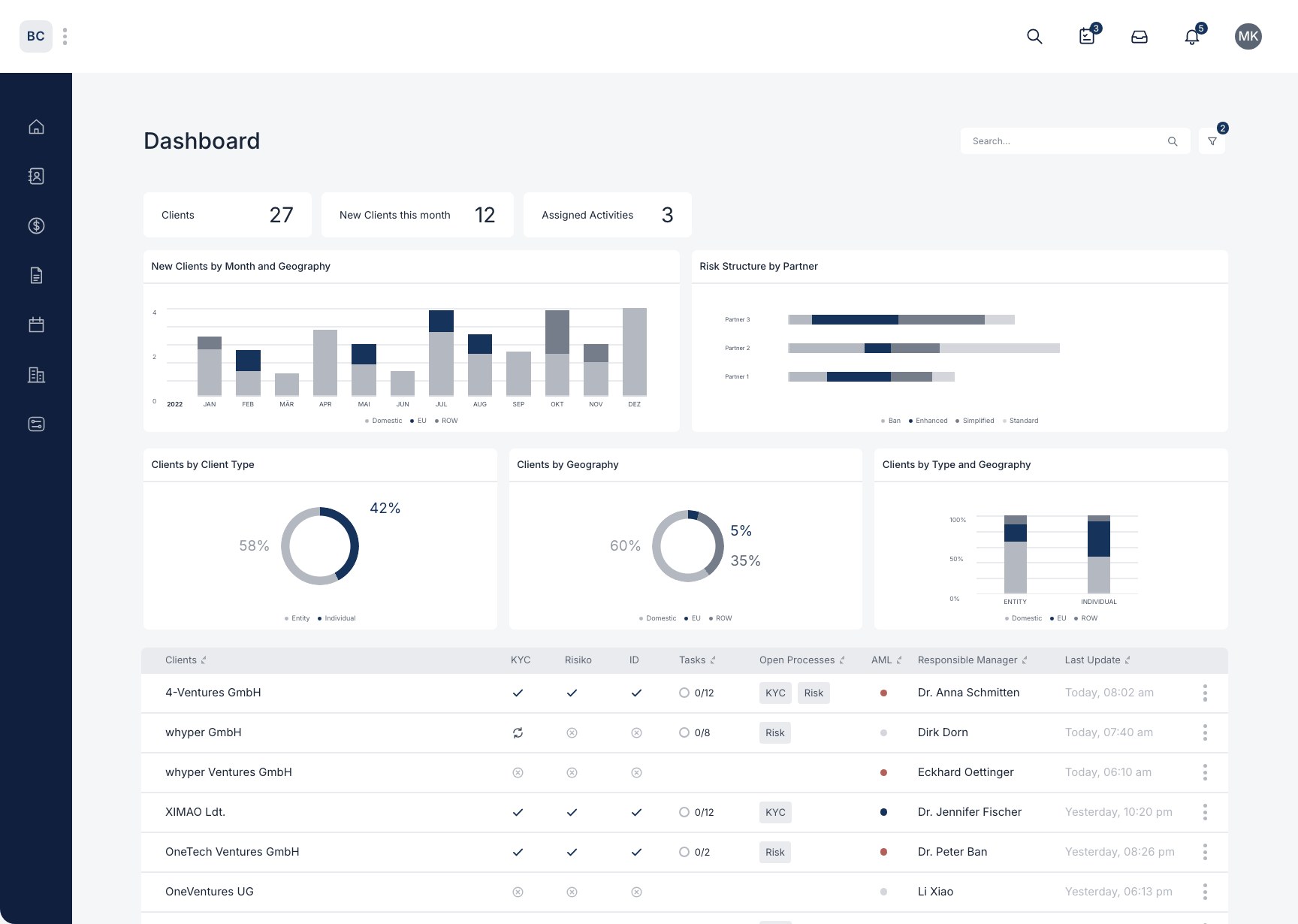
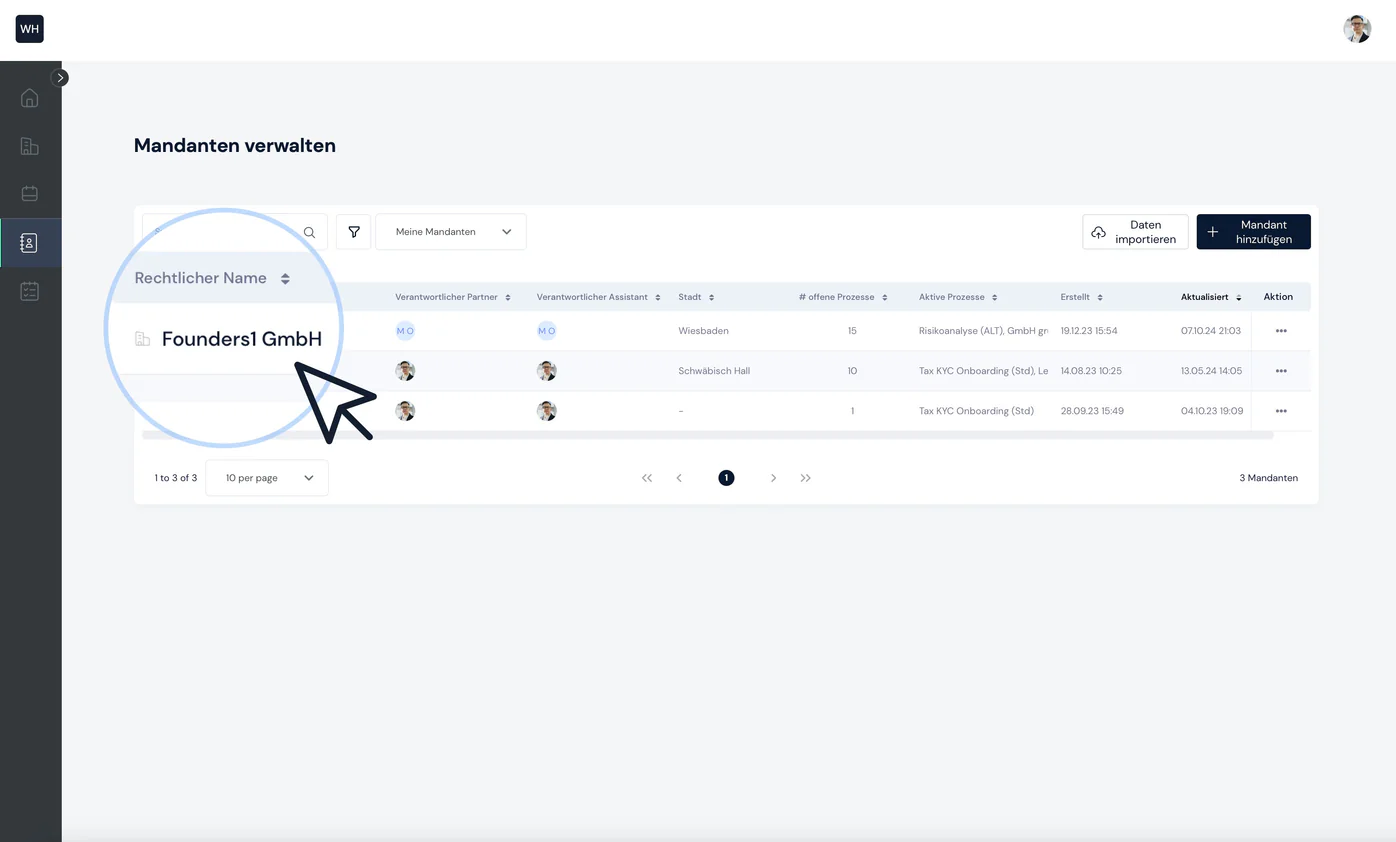
To complete a task as an advisor / firm / consultant, first open the client in question, either via your dashboard or via the “My clients” page.
Step 2: Select process
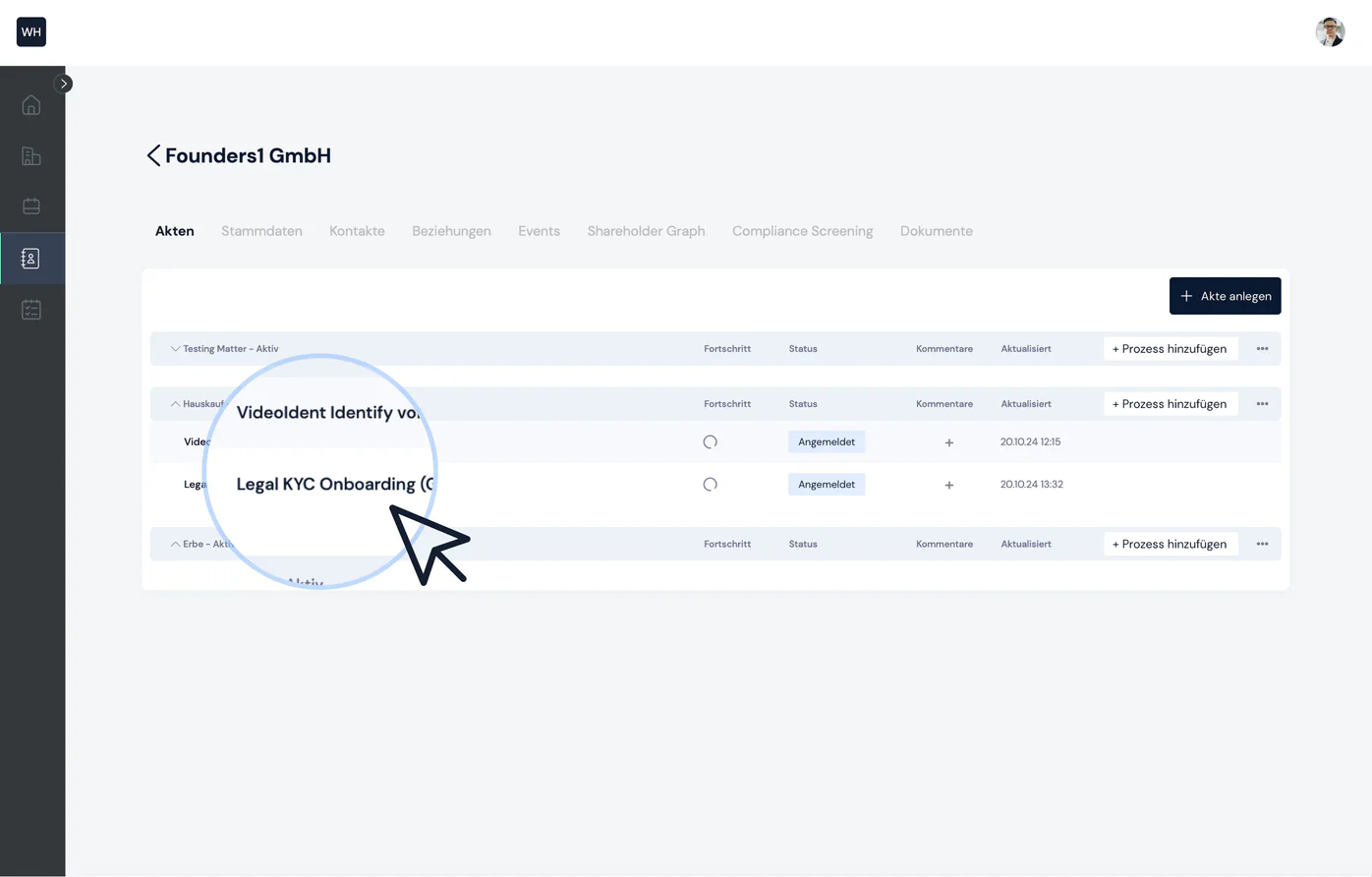
Now select the process within the matter that you want to continue working on.
Step 3: Select task
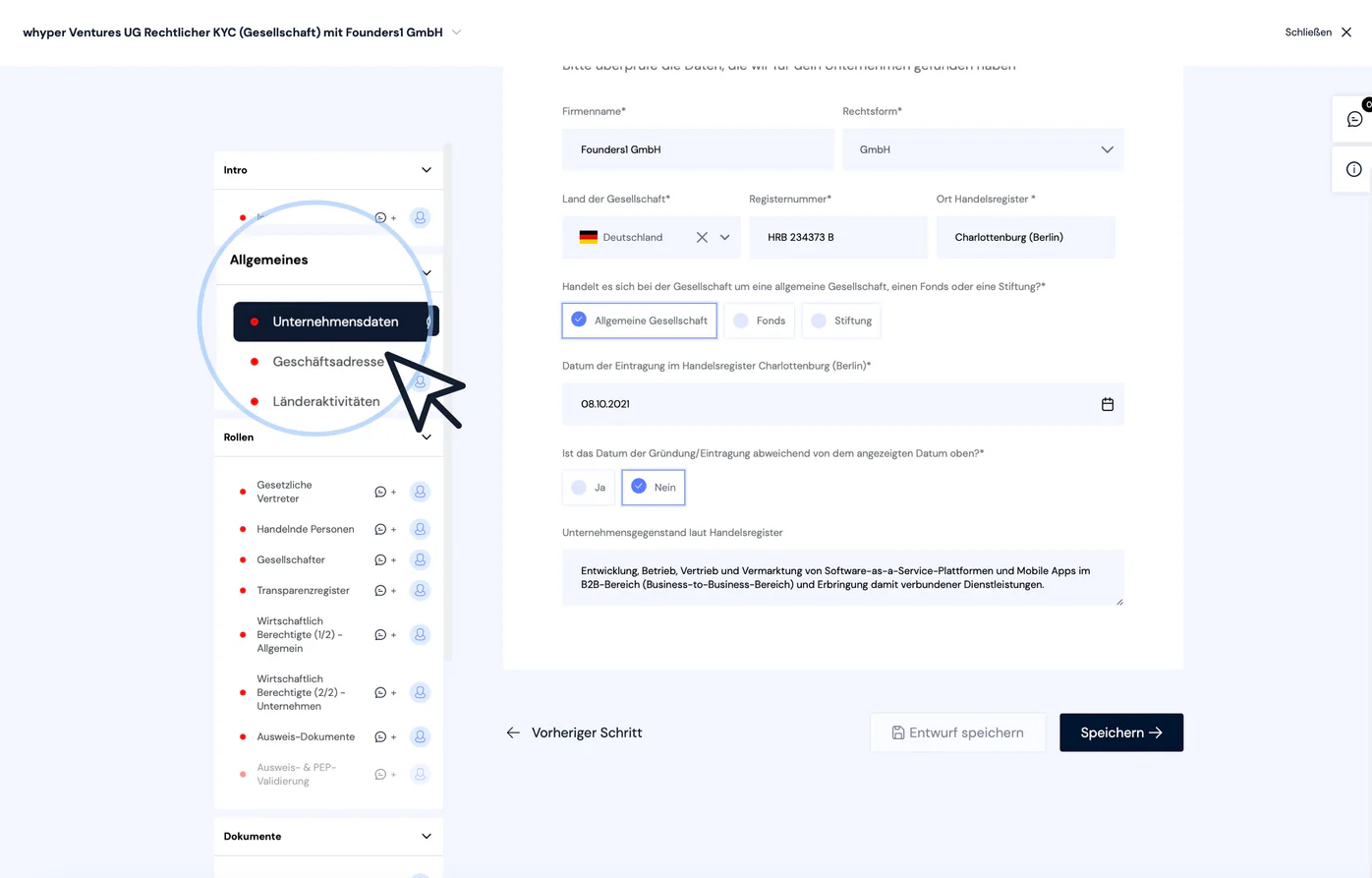
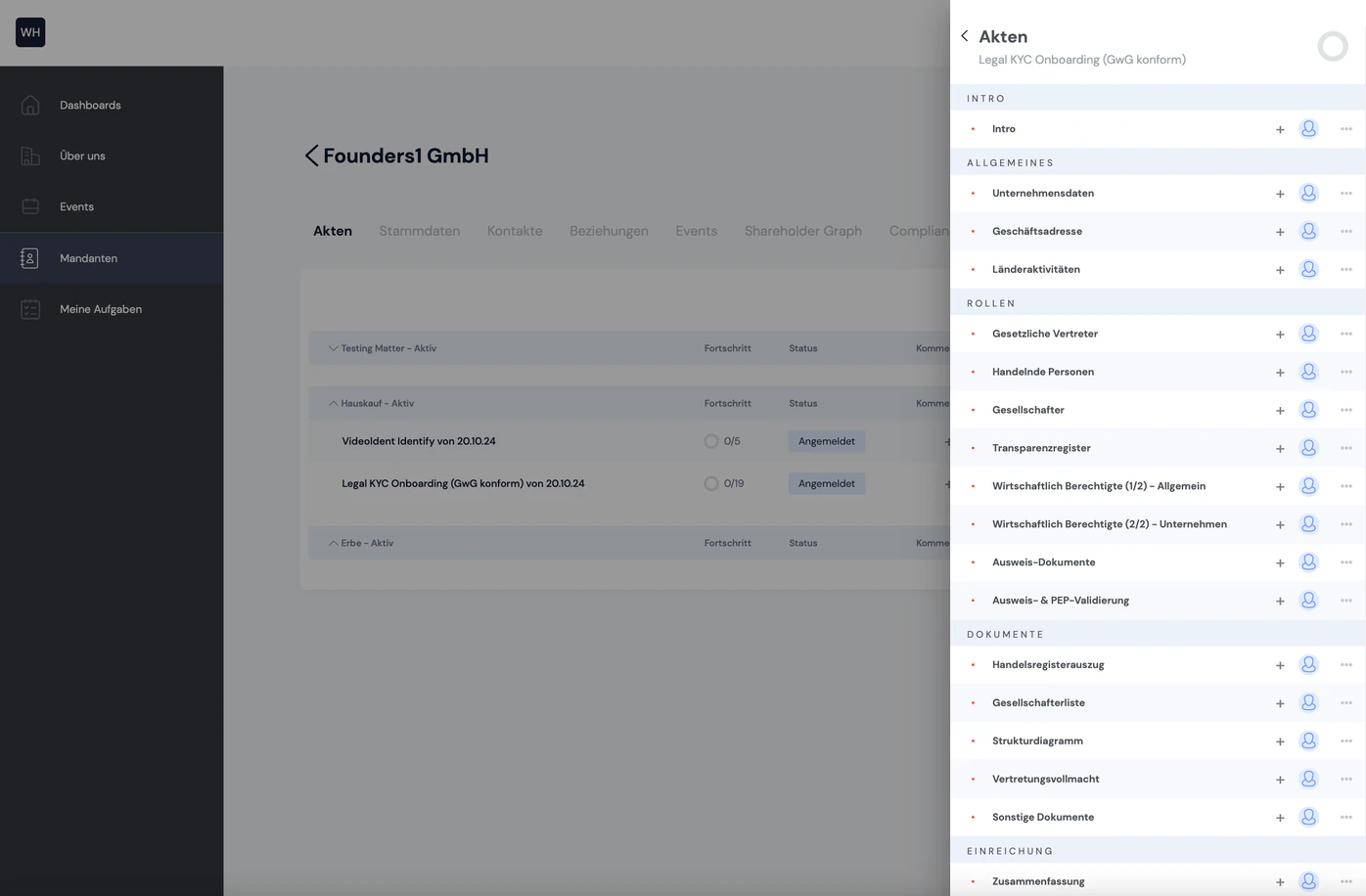
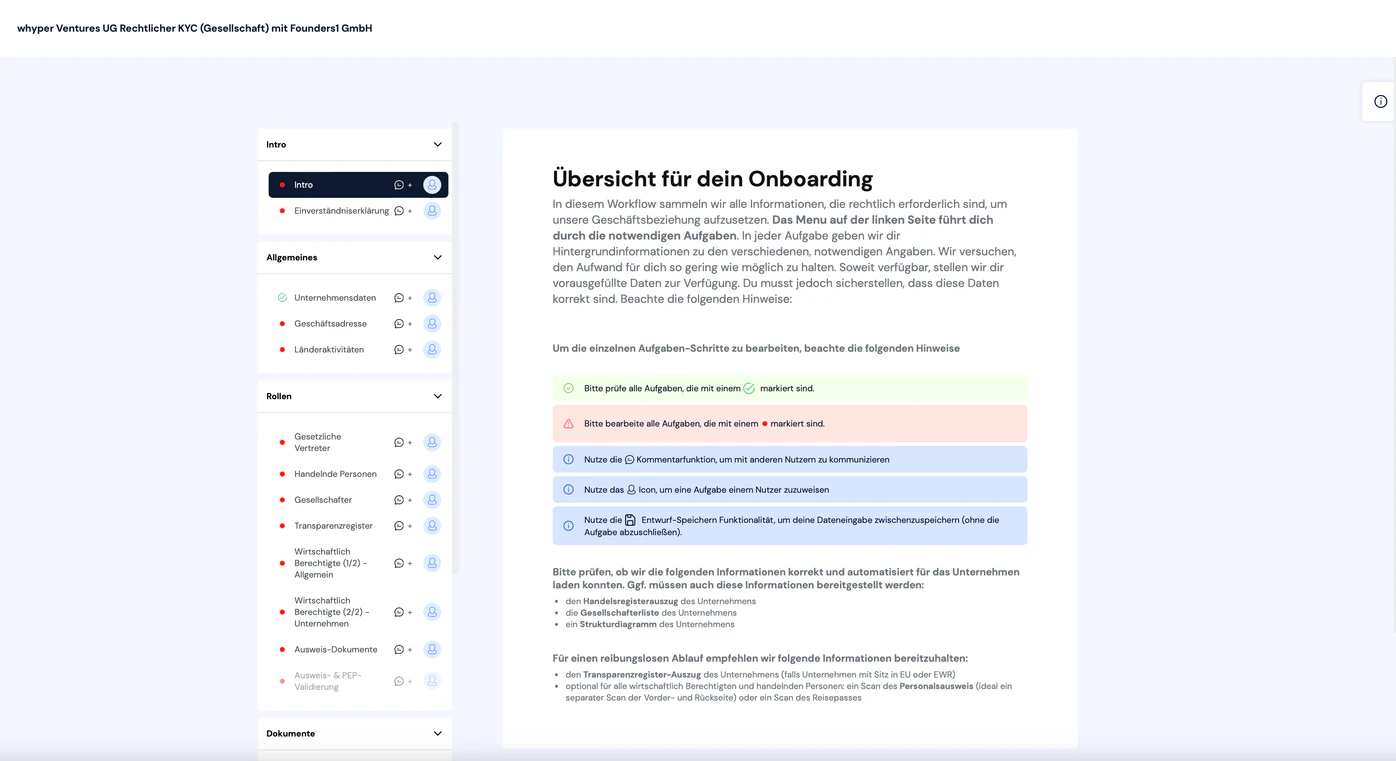
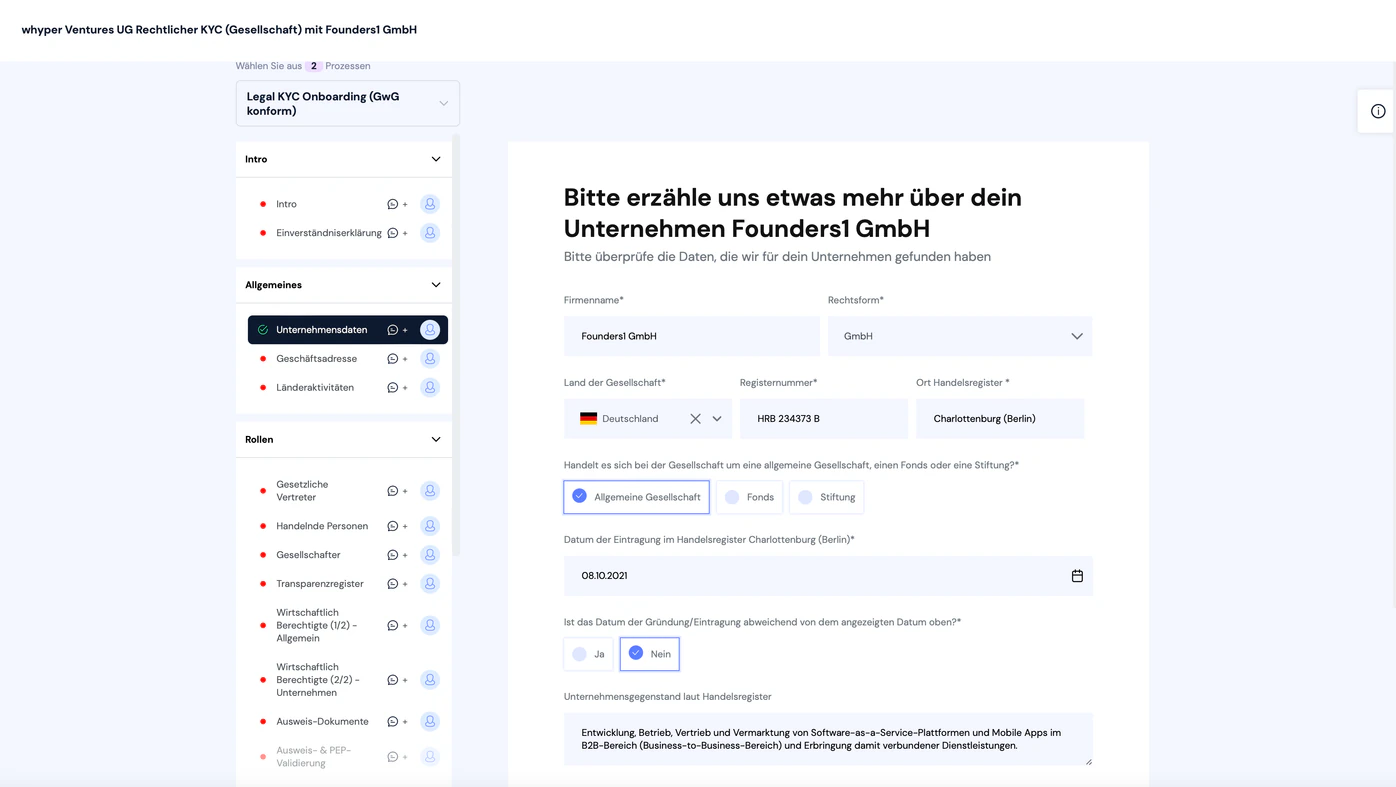
On the left you will see a list of all tasks in the process. A task marked with a red dot still needs to be completed. Click the task and fill out the form on the right.
Step 4: Save task
Once you have filled out the form, click “Save” below it. This saves the data and marks the task as done (see green checkmark).
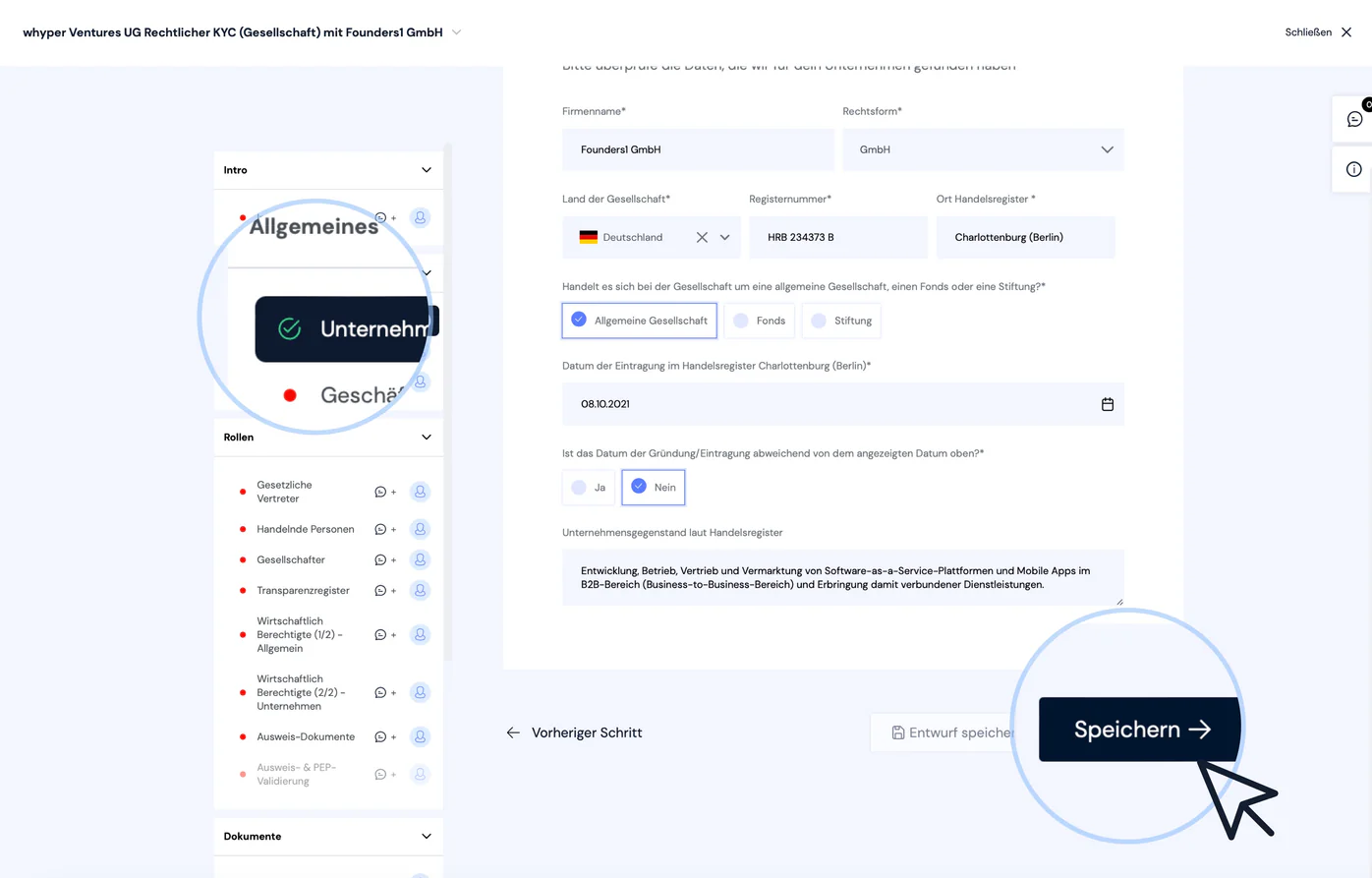
If you want your client to complete the task (e.g. so they can do a final check of your entries), click “Save draft”. Your data is saved, but the task remains marked as “open”.
💡 Quick tips for faster navigation:
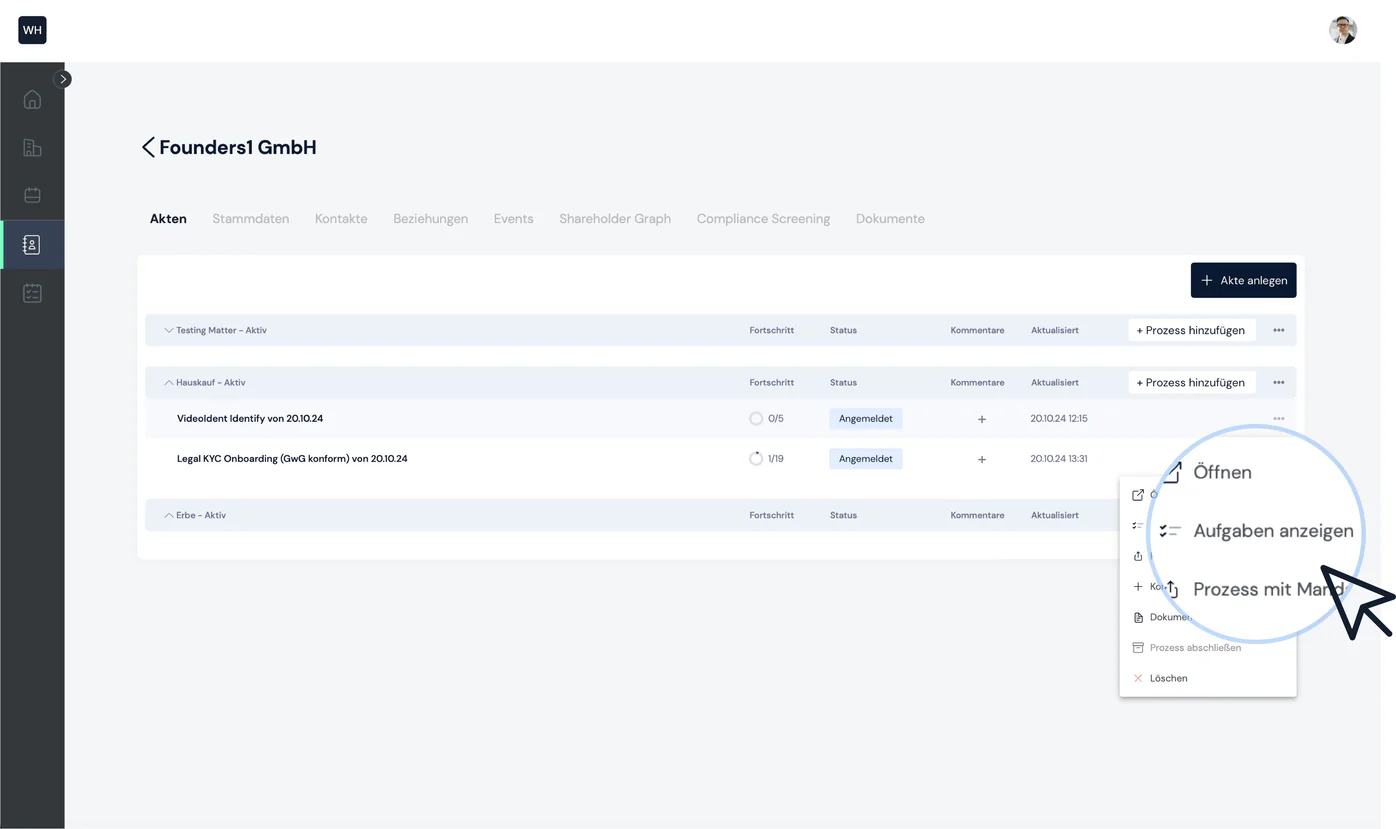
Tip #1: The process's context menu lets you view the list of tasks and jump straight into a task without opening the process first.
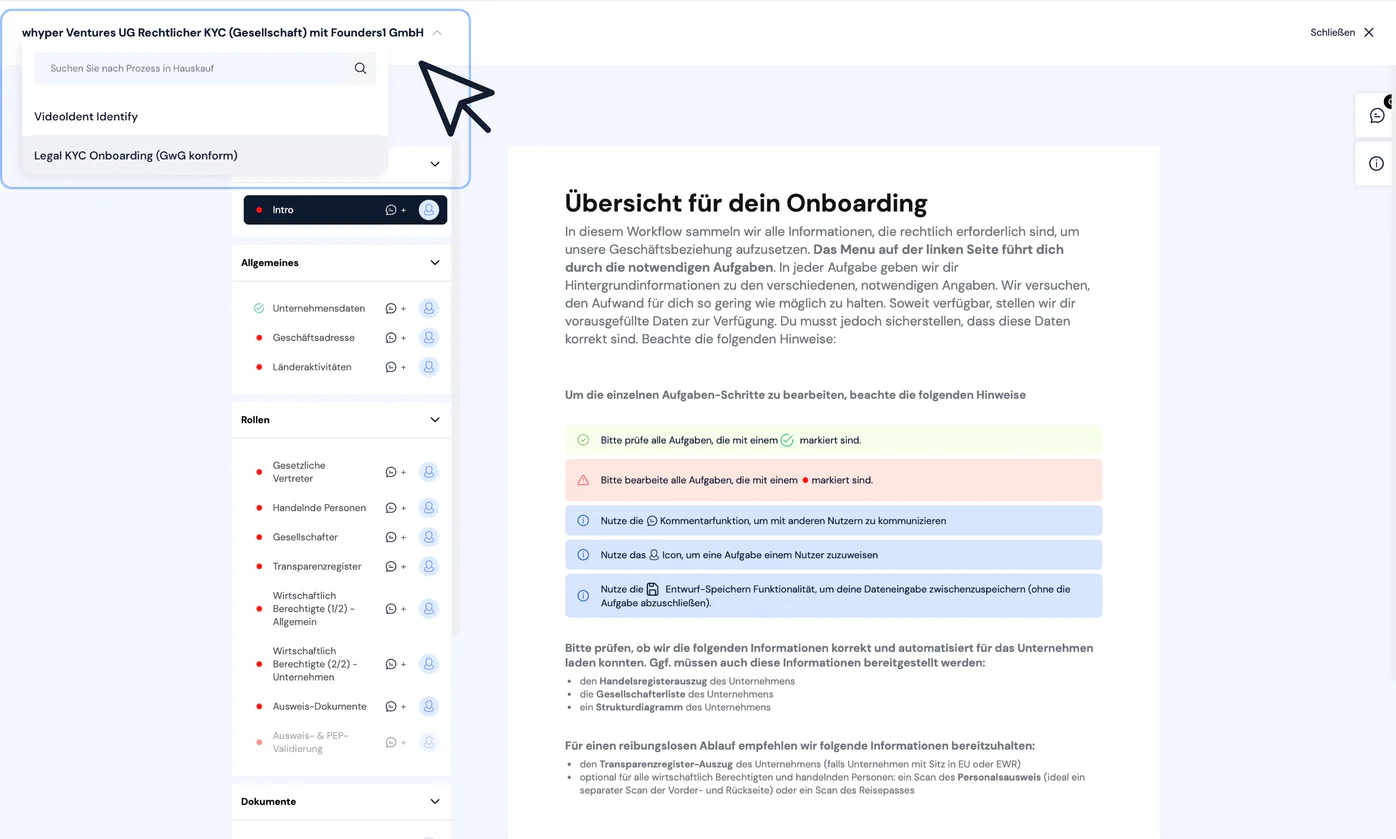
Tip #2: Within a process, use Quick Access at the top left to switch between the other open processes in the matter without having to go back to the matter list.
Completing a task as a client
You have several options for starting collaboration with your client:
- You share the process with your client via email
- You share an entire matter with your client via email
- You embed the process on your website
1. Share process with client
The context menu of each process lets you share the process with your client:
You can now share the link with your client. When your client opens the link, they land directly in the open process and can enter, edit and save their data. You can also work on the process together in real time.
2. Share matter with client
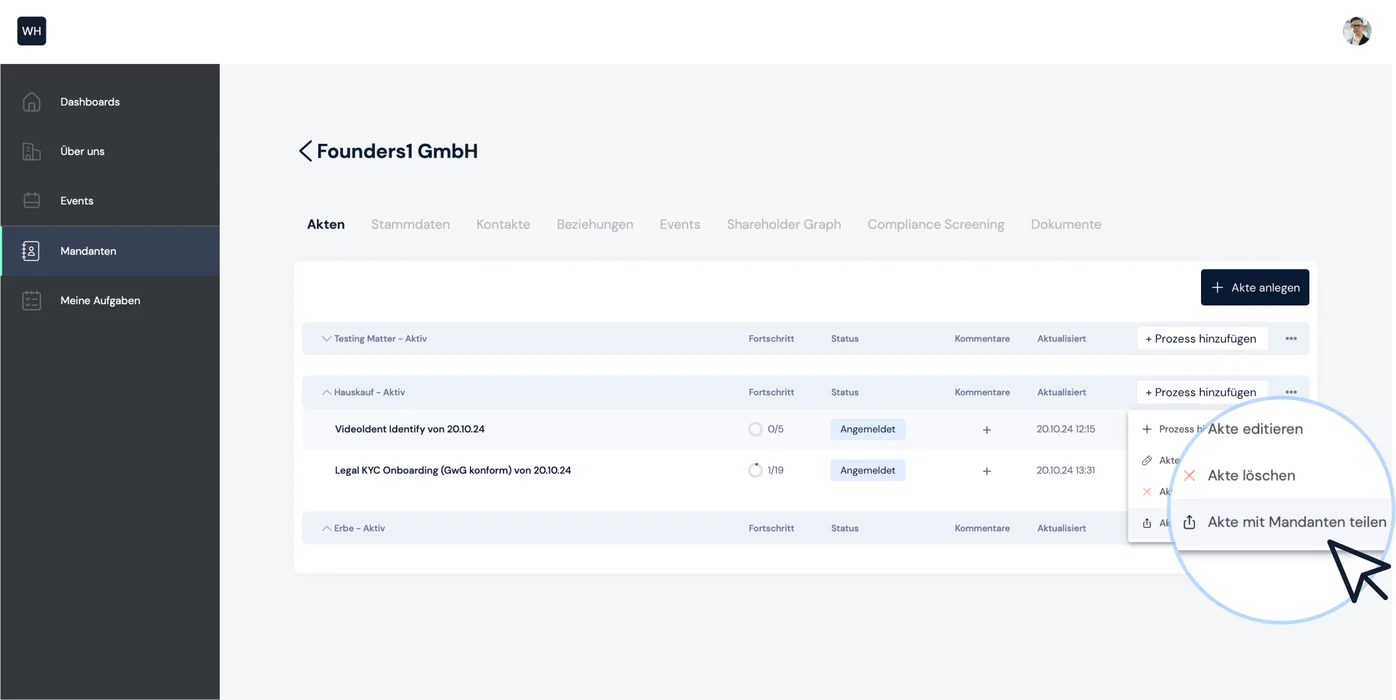
You can also share an entire matter with your client by selecting the corresponding option in the matter's context menu:
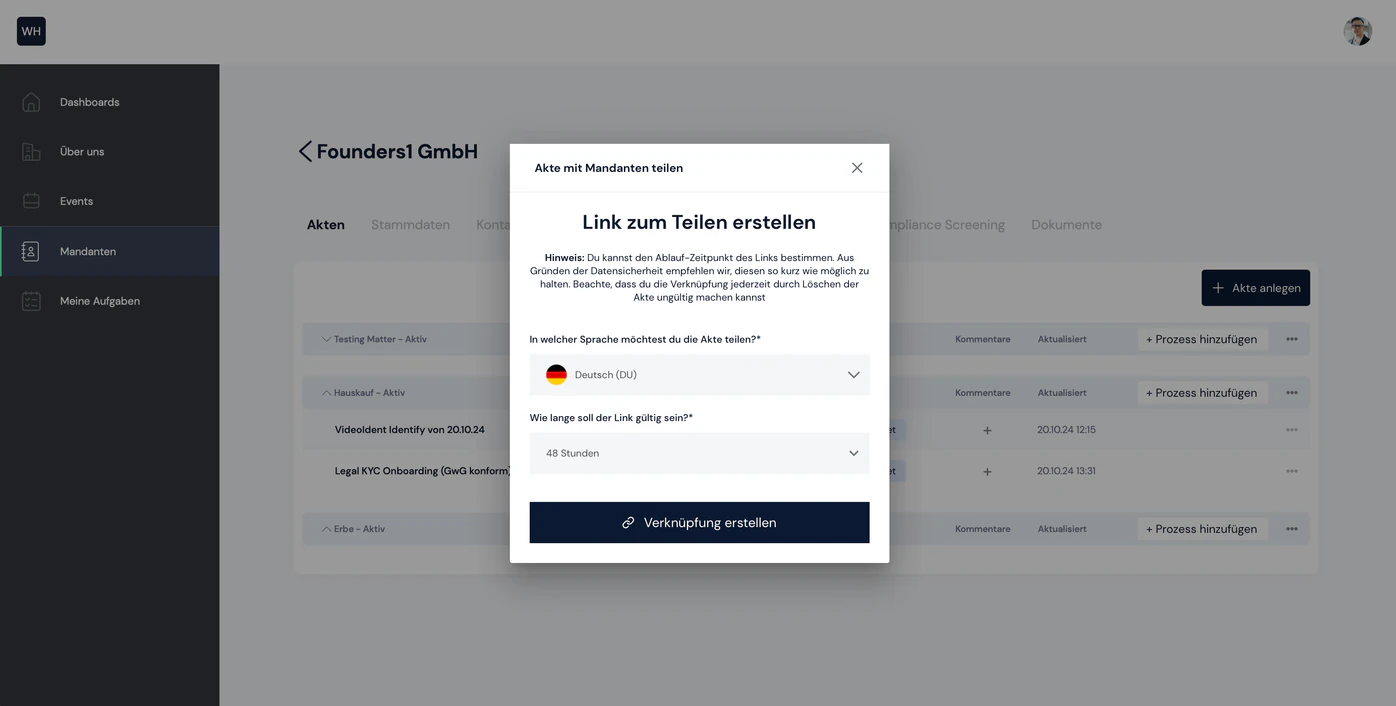
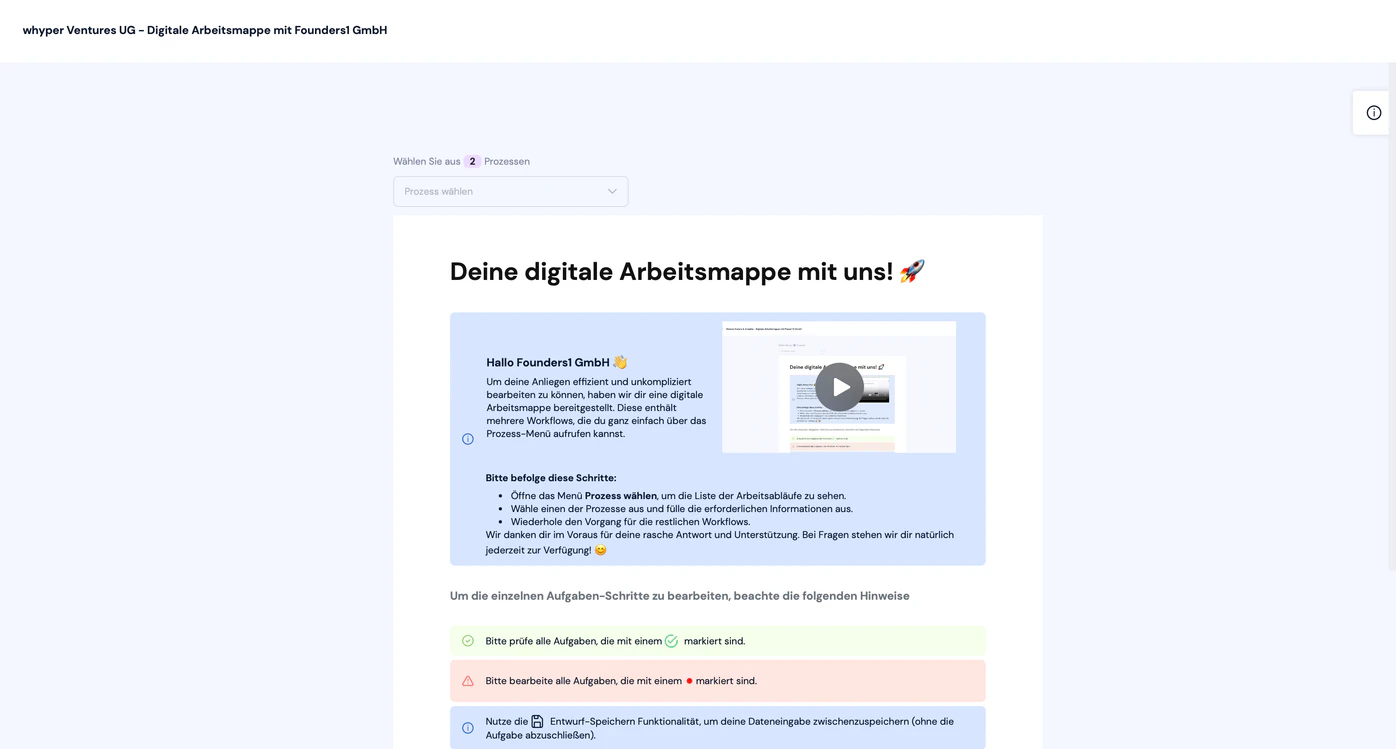
You can now share the link with your client. When your client opens the link, they see the following screen and can navigate between the open processes within the shared matter:

Still have questions?
Contact us or book a 30-minute demo call directly with our founder Eckhard Ortwein.