Your workspace
How can you add another team member to a matter?
To add another team member to a matter, follow these steps:
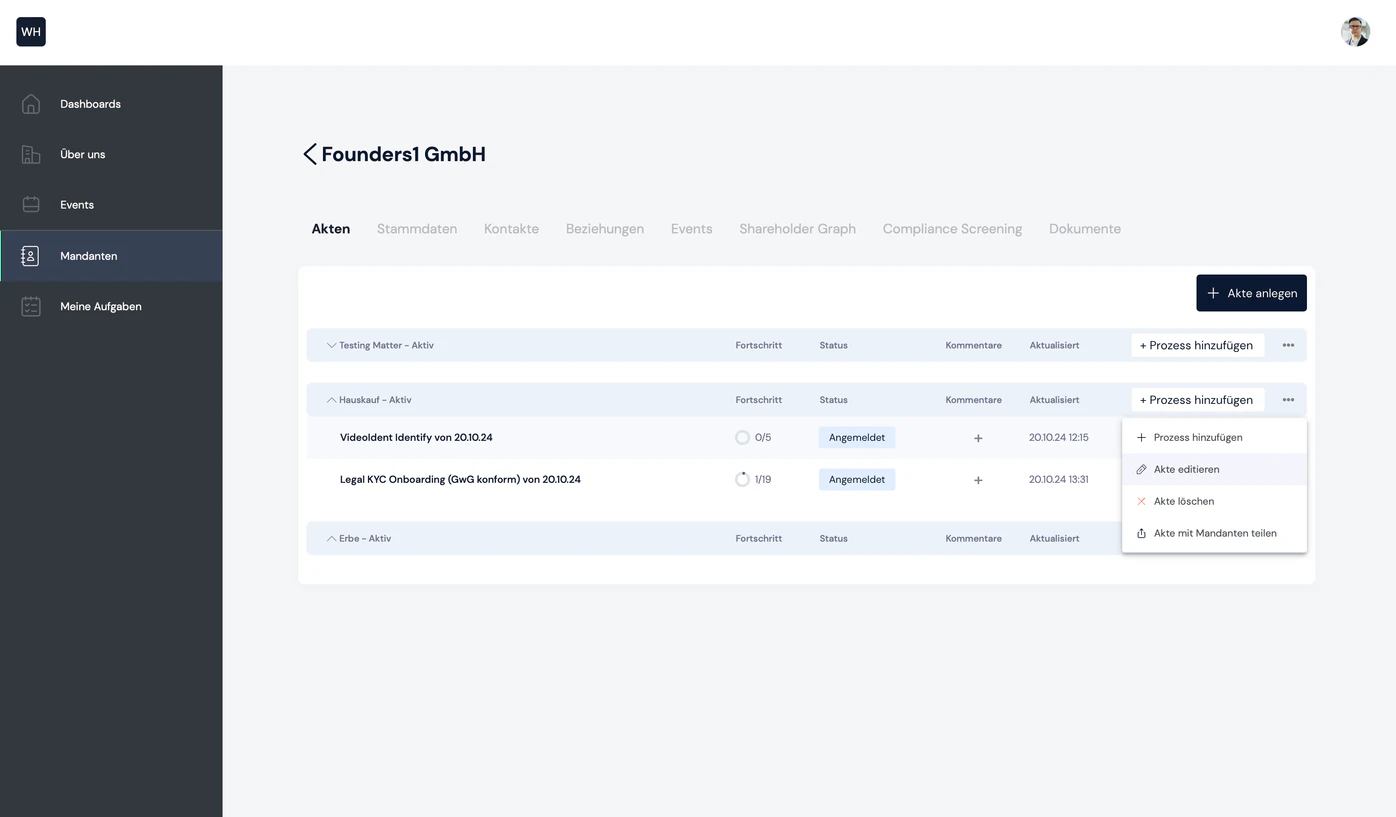
1. Open the matter's context menu
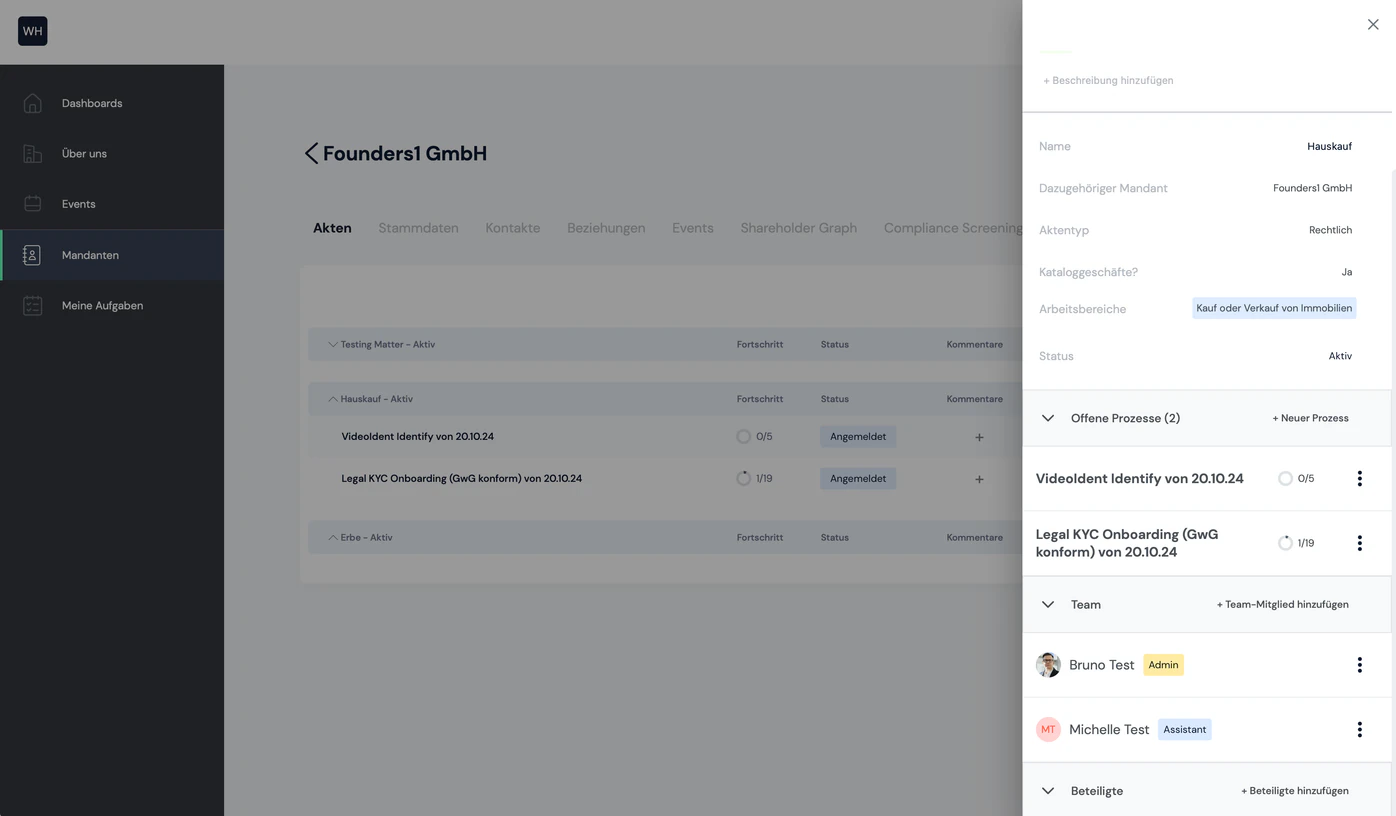
Navigate to the list of matters. In the context menu, select the "Edit matter" option
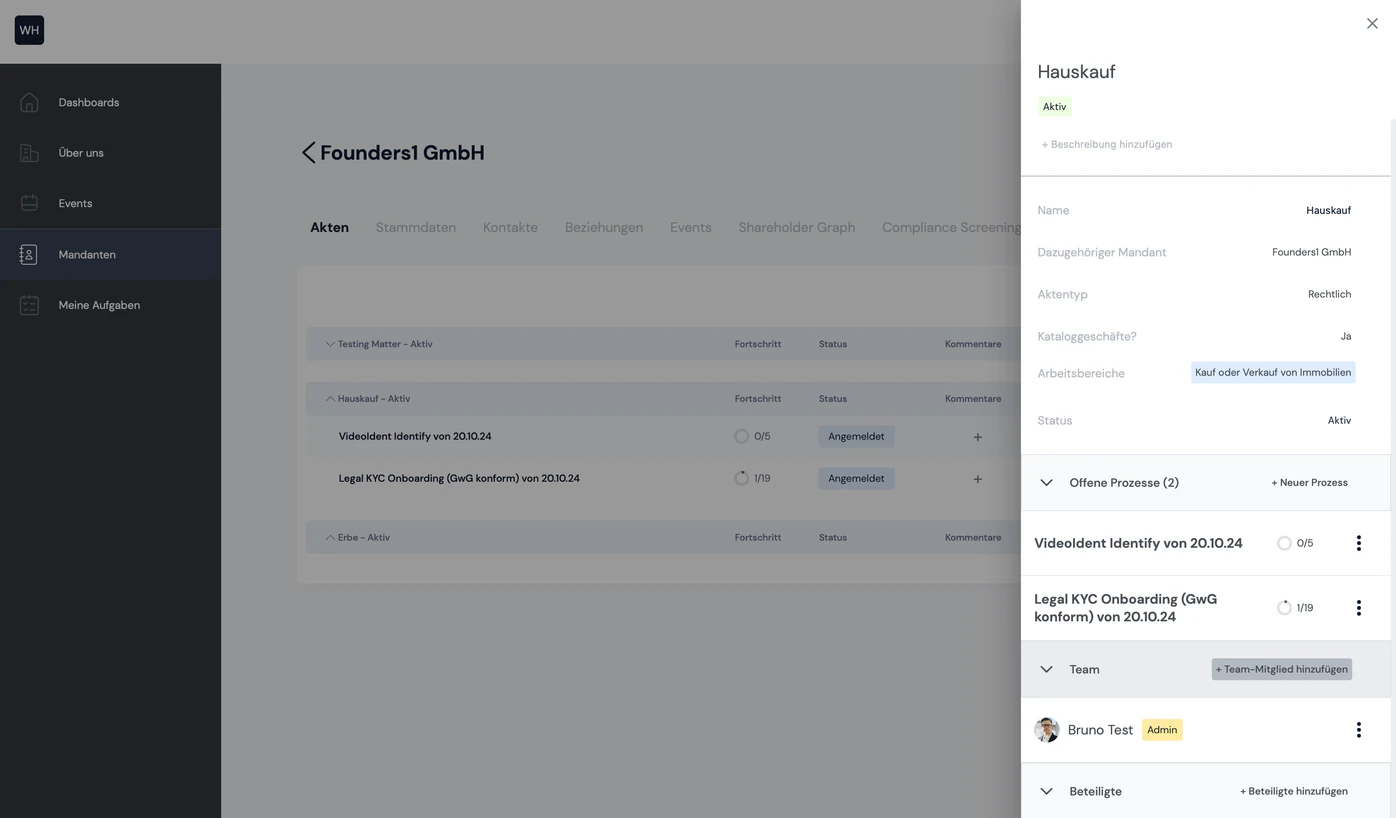
2. Click the "Add team member" button
The matter's sidebar now opens. Under the "Team" section, you will find the team members assigned to the matter. On the right is the "+Add team member" button. Clicking it opens a pop-up.
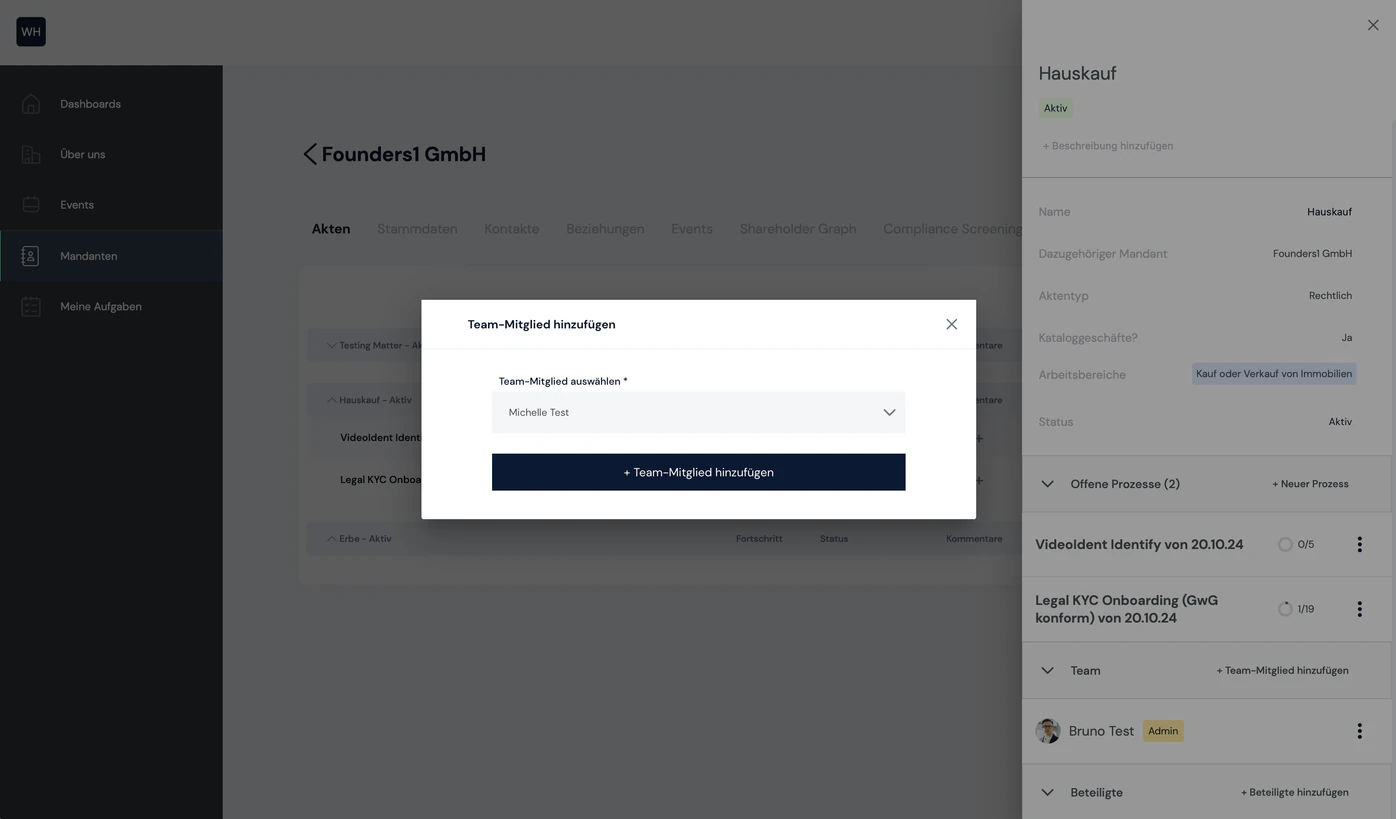
3. Select the team member you want
Now you can select the team member to be added to the matter team. The new team member is added to the matter as an assistant.

Still have questions?
Contact us or book a 30-minute demo call directly with our founder Eckhard Ortwein.