
A client's journey, from the first request to the signature
7 steps, each a recorded tour.
- 1 Set up the firm
- 2 Request and documents
- 3 Review the matter
- 4 KYC and identification
- 5 Follow-up
- 6 Assess risk
- 7 Contract and signature
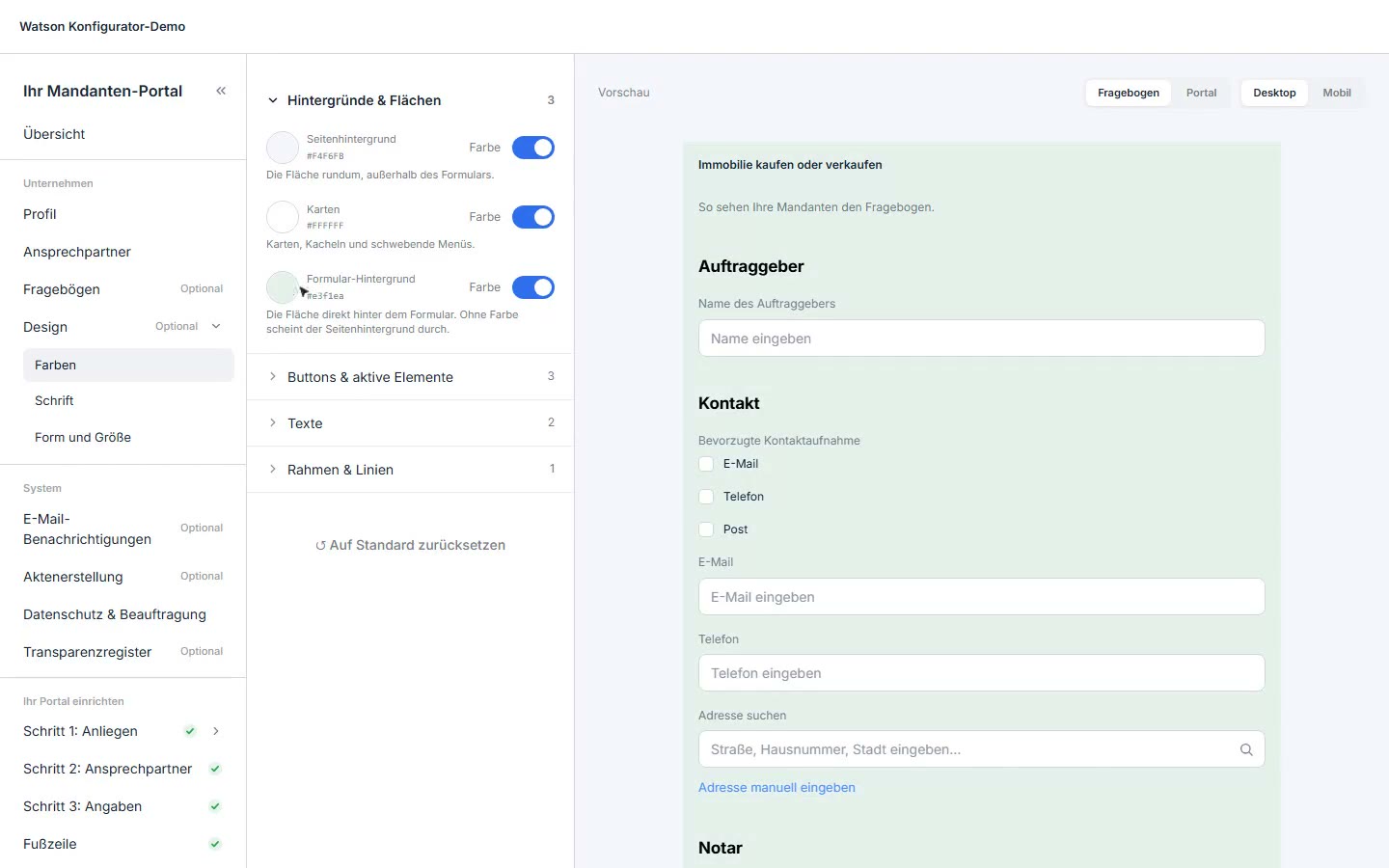
In the configurator, the firm sets up its client portal itself.
- In the configurator, the firm sets up its client portal itself.
- Adapt colors, font and shapes to the firm.
- The preview shows every change instantly.
- In the mobile view, too.
- Set up the process for clients step by step.
- Which contact details the portal asks for, with a CAPTCHA against bots.
- The portal as a link or as an iframe on the firm's website.
Set up the firm
In the configurator, you set up the portal, logo and services. The portal is linked from or embedded in your website.
New requests arrive structured, not by email.
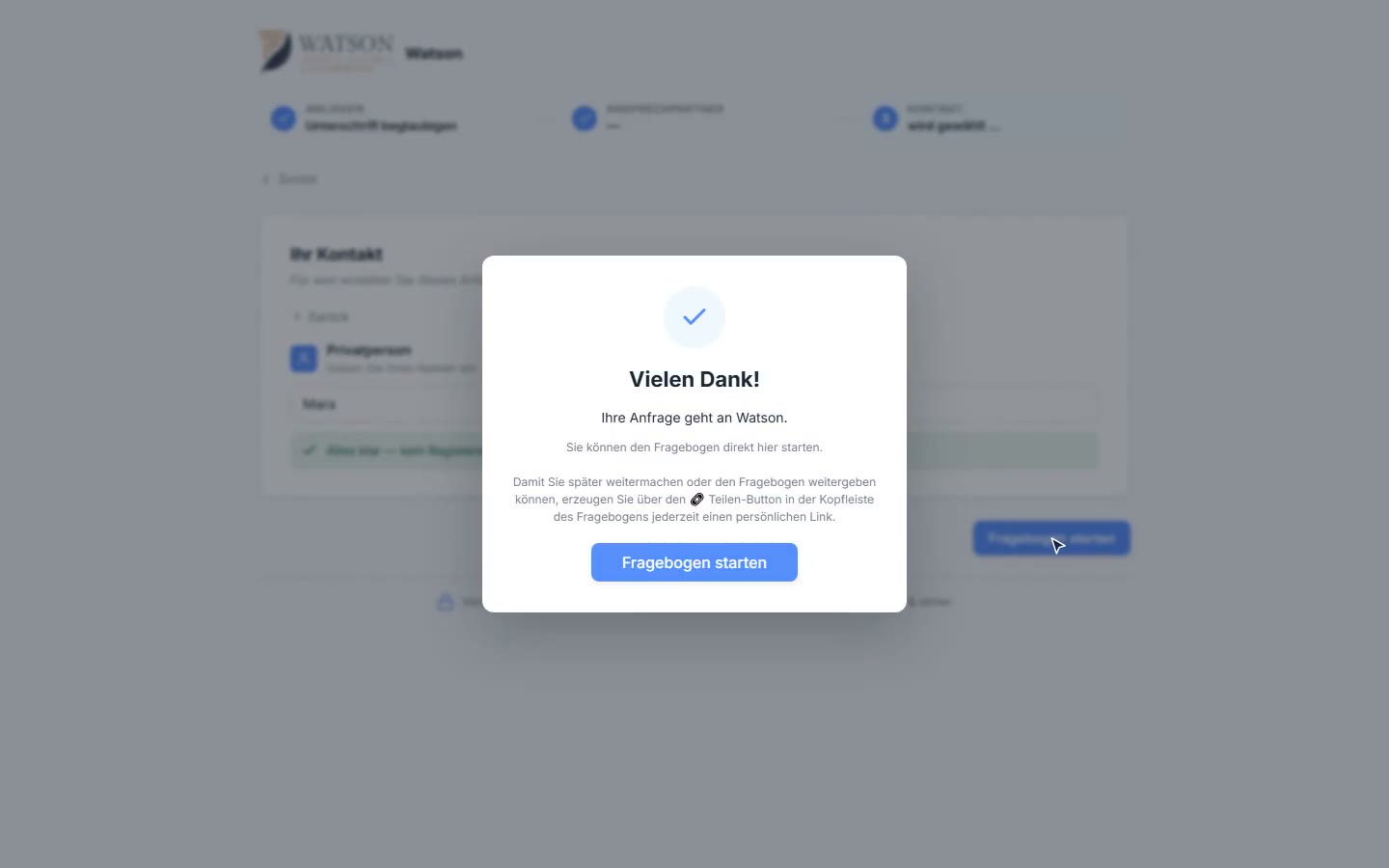
Clients choose their request themselves, in the portal on the firm's website.
- Clients choose their request themselves, in the portal on the firm's website.
- Request selected.
- A preferred contact person is optional.
- Then the contact details.
- A register check runs along with it.
- The request reaches the firm as a lead with a matter file.
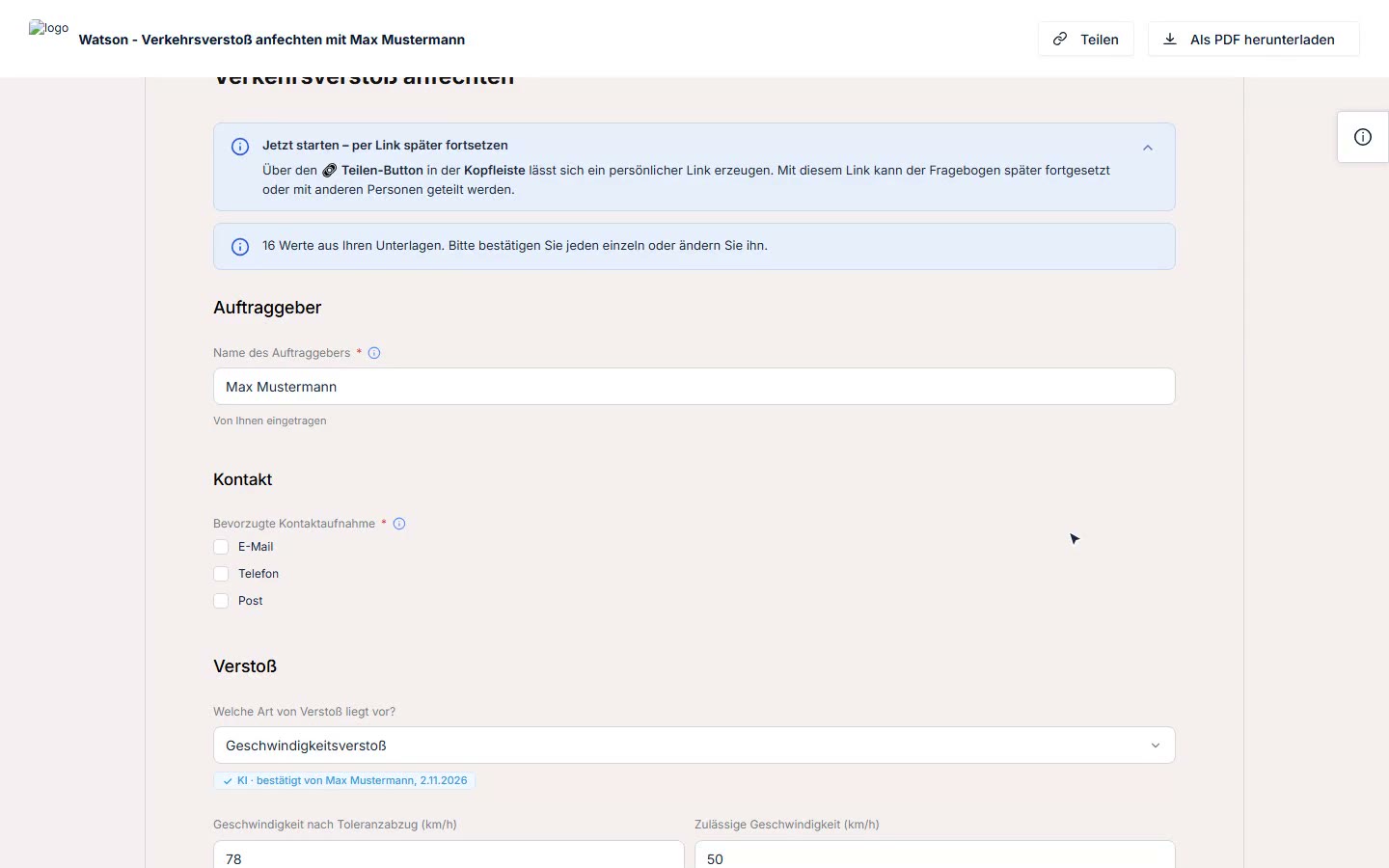
The client uploads what they have for the case and agrees to the analysis.
- The client uploads what they have for the case and agrees to the analysis.
- Both documents are recognized, the form is prefilled.
- Every prefilled value shows its source.
- The client confirms or changes every value.
- If a document contradicts an earlier answer, the client decides.
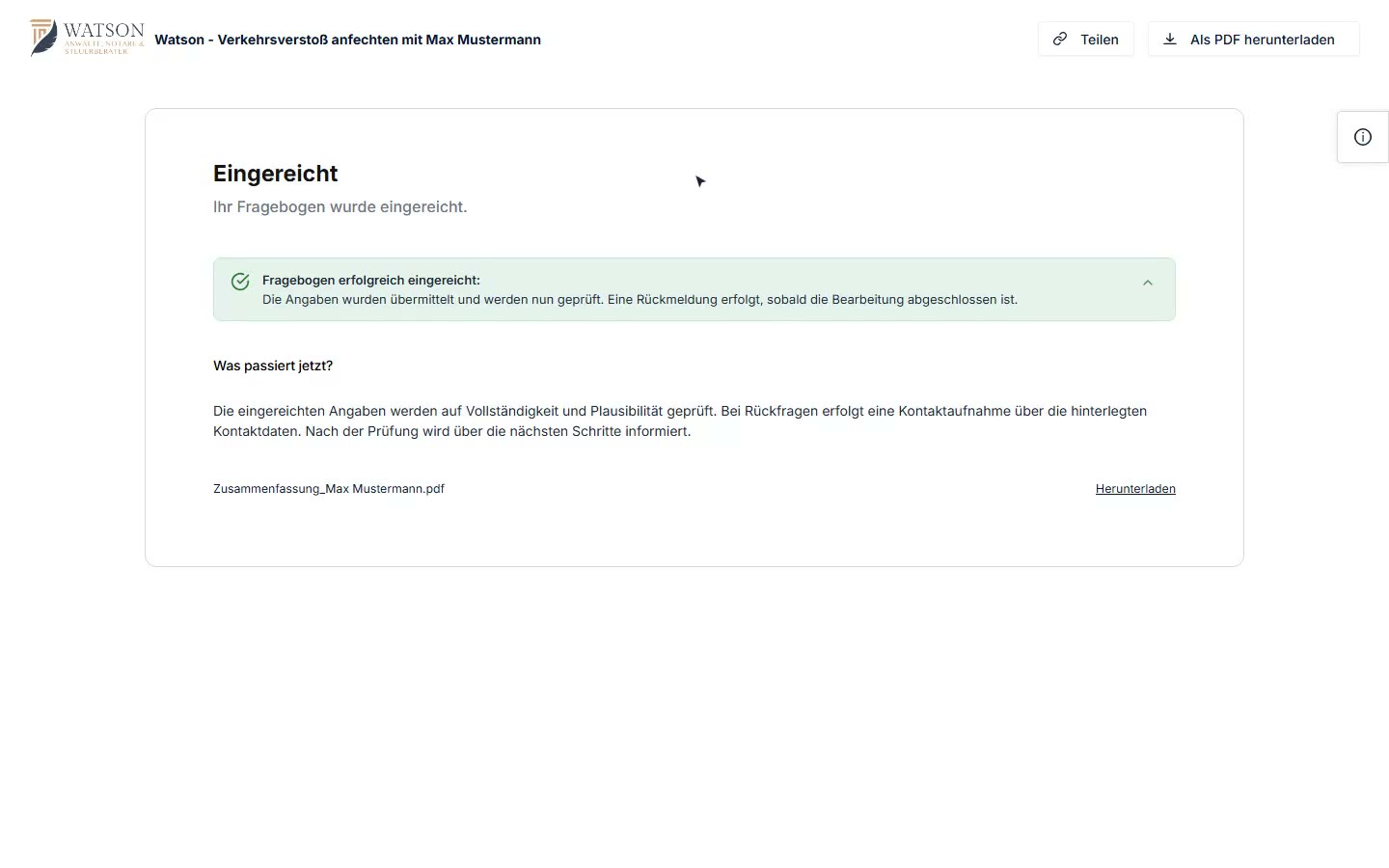
All prefilled values are confirmed.
- All prefilled values are confirmed.
- How the firm should reply.
- Submitted: the firm has the complete case.
Request and documents
The client chooses their request in the portal and uploads documents. The AI prefills the form from the documents; every value shows its source, and the client confirms it.
Up to 80% of data points are prefilled from sources.
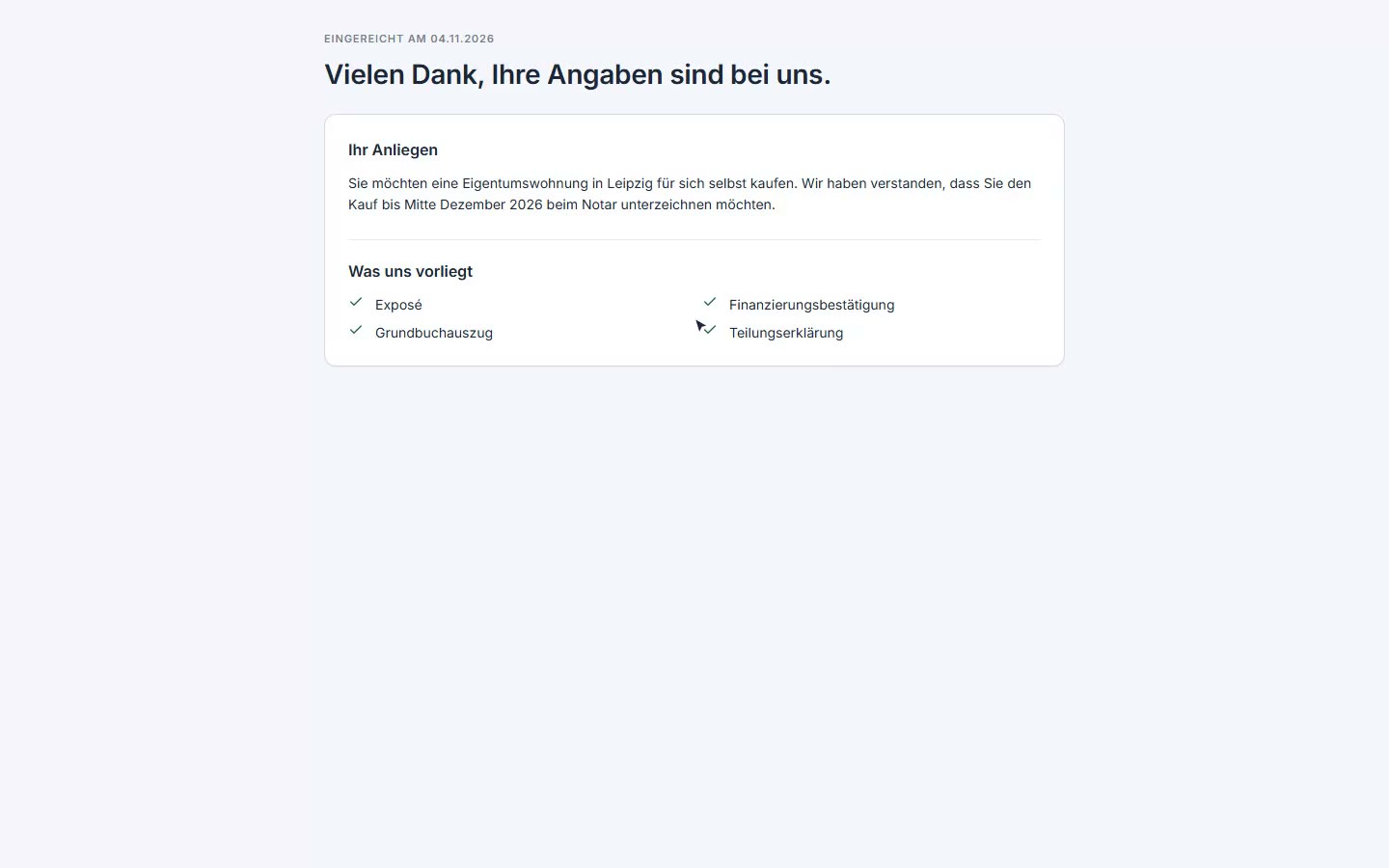
The last page: the client submits their details.
- The last page: the client submits their details.
- As a result, they get a plain summary: their request, as we understood it.
- And which documents the firm already has.
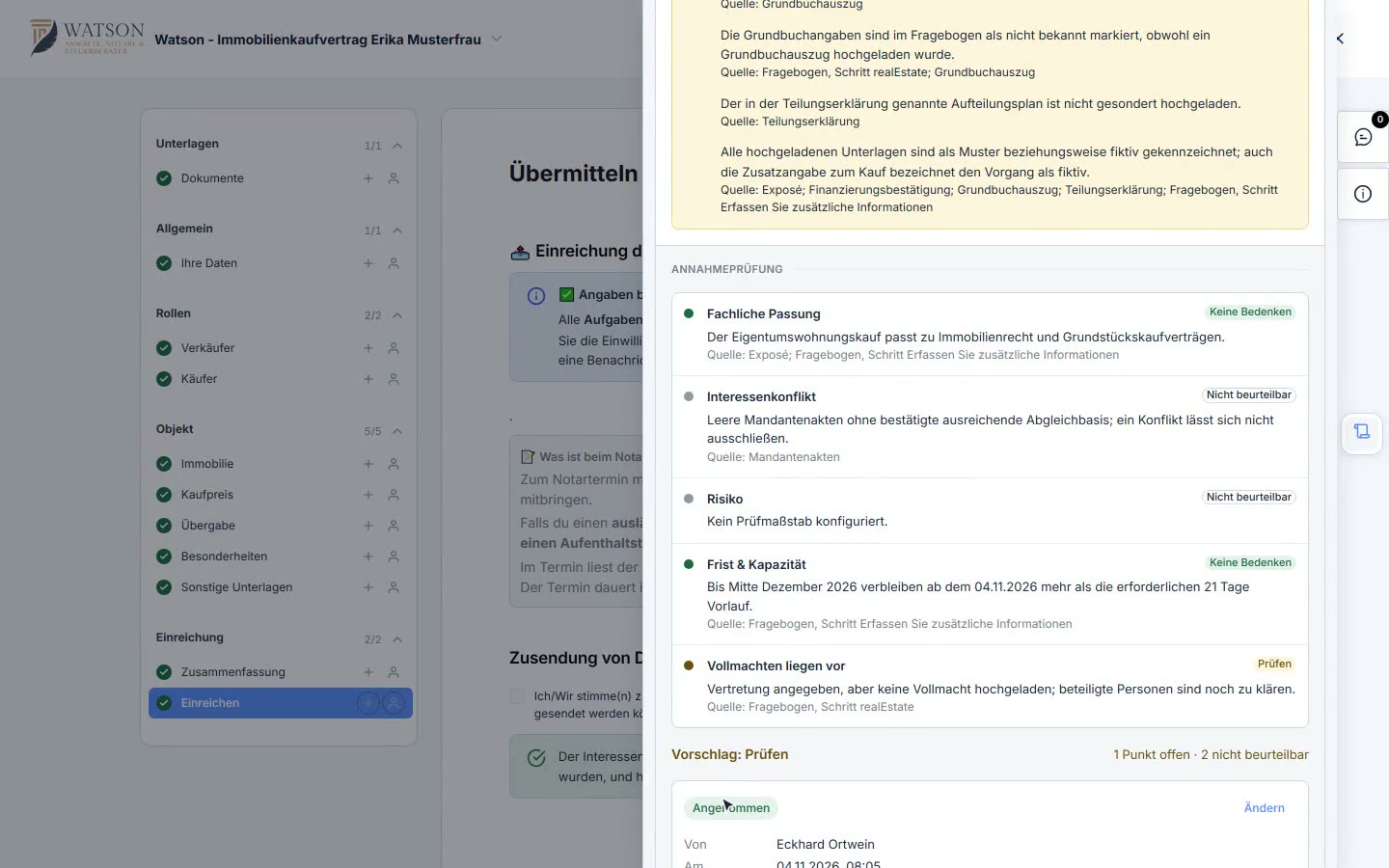
The firm sees the same matter as an AI summary.
- The firm sees the same matter as an AI summary.
- Key facts, parties and what the documents say.
- At the end, the acceptance check with a recommendation.
- The firm accepts the matter directly in the summary.
Review the matter
After submitting, the client gets a summary of their request. You read the same summary and decide whether to accept; the decision is saved with the matter.
The acceptance decision is documented.
Example in the tour: Property purchase
A new client: search for the company in the register.
- A new client: search for the company in the register.
- The client is created, the register data is loaded.
- Master data from the register, locked against changes.
- Choose the acting person from the representatives.
- The ownership chain is resolved, the beneficial owner identified.
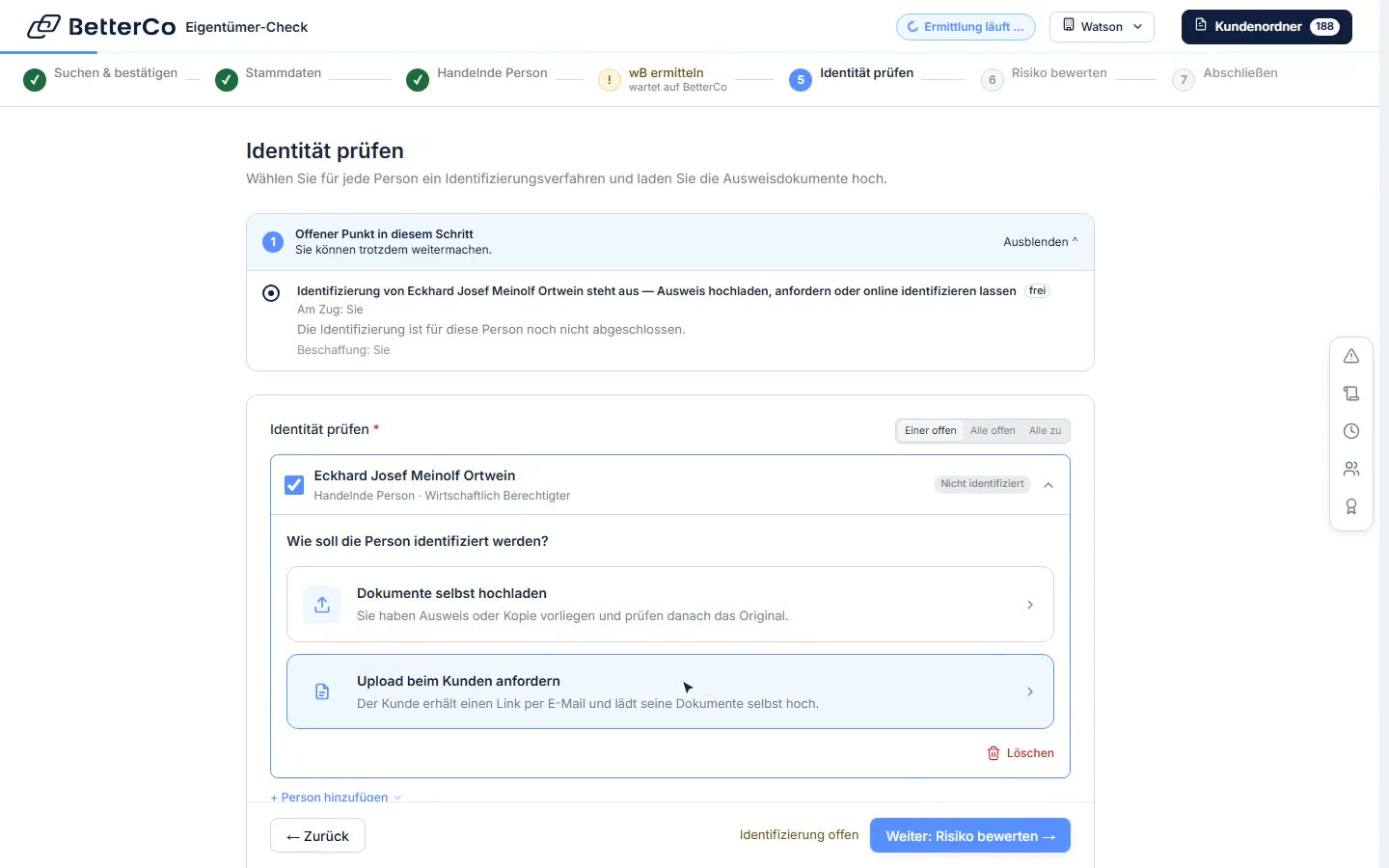
- The firm checks the ID itself or requests it from the client.
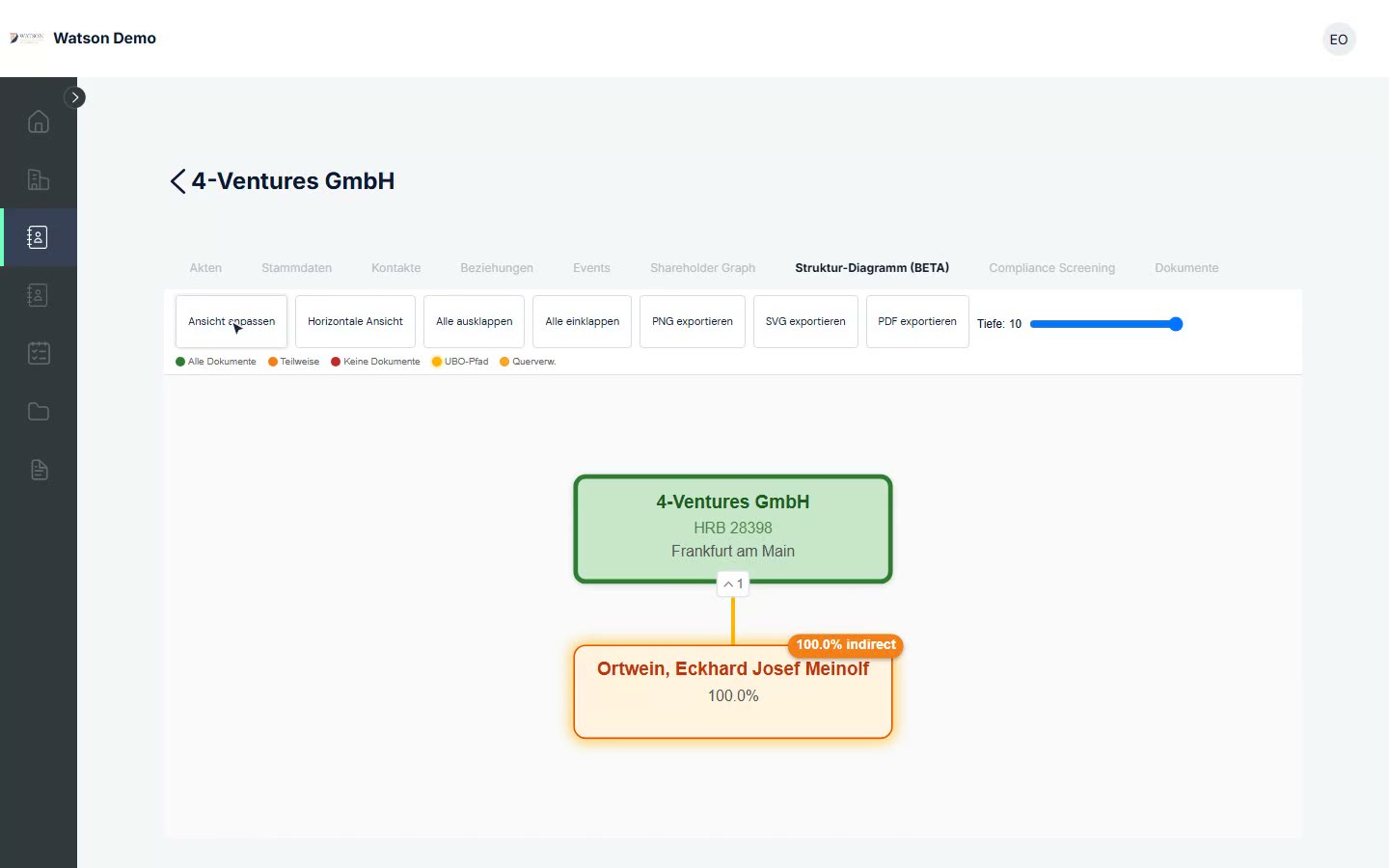
The client's ownership chain at a glance.
- The client's ownership chain at a glance.
- Shareholders, intermediate companies and natural persons.
- The path to the beneficial owners is highlighted.
- Per node: which register documents are available.
- The whole structure in one view.
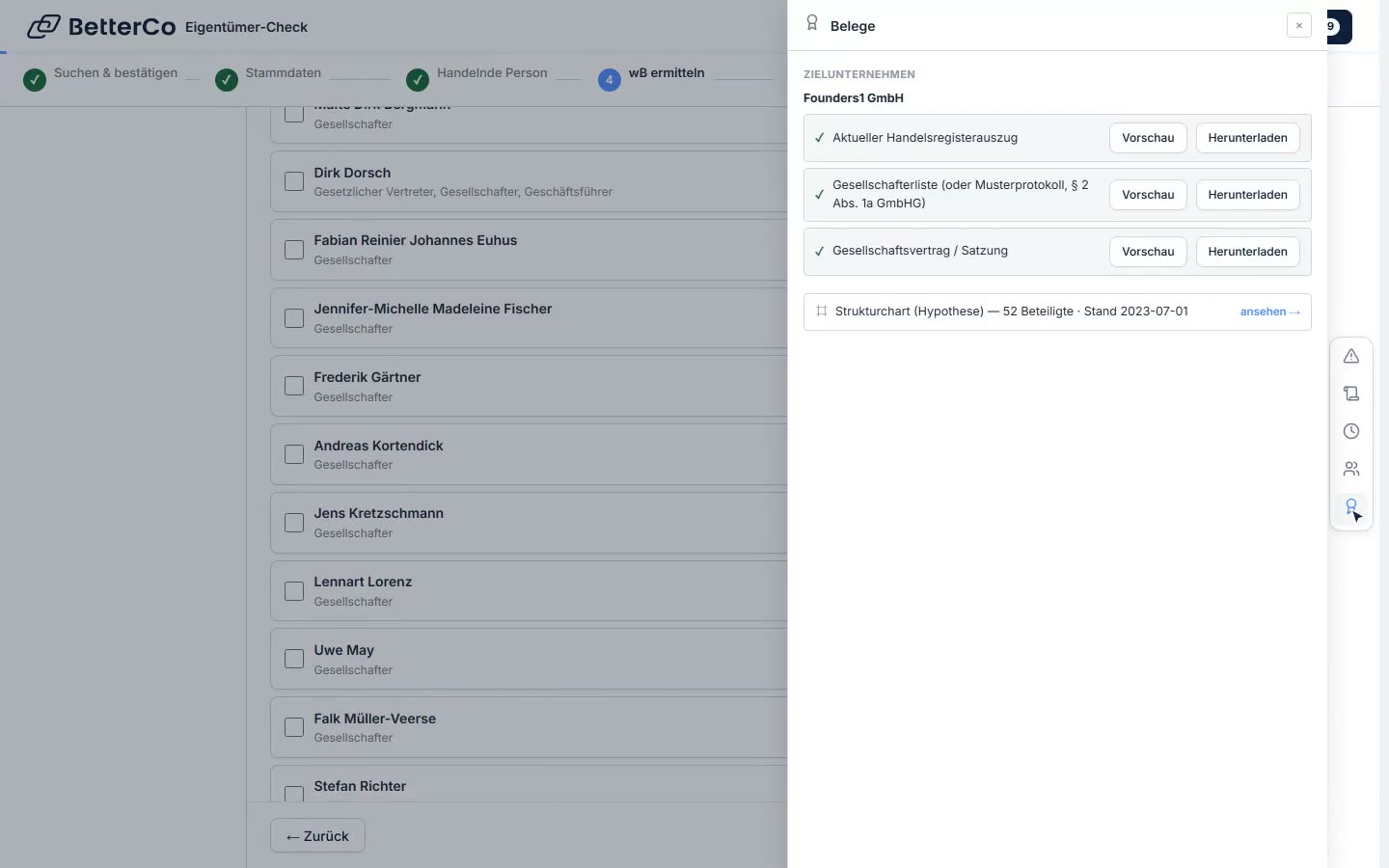
The derivation shows the chain down to the natural persons.
- The derivation shows the chain down to the natural persons.
- Who the beneficial owner is, and why.
- Every detail with its evidence, contradictions are flagged.
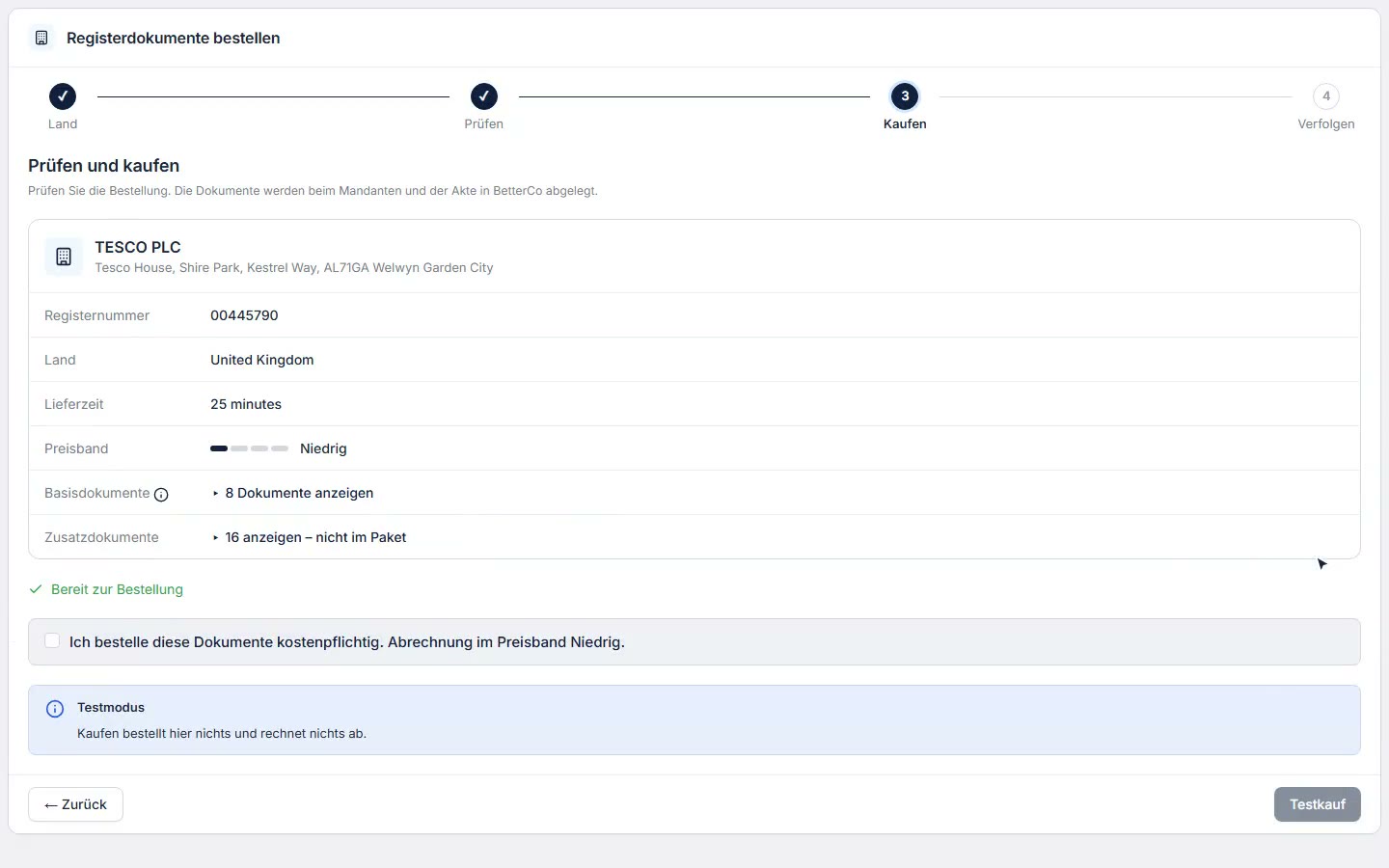
Choose a country: route, price range and delivery time at a glance.
- Choose a country: route, price range and delivery time at a glance.
- Search for the company in the register and check it for free.
- Match: same company, number and name agree.
- Before buying: what is ordered and where it goes.
KYC and identification
Master data comes from the register and is locked against changes. The ownership chain is resolved down to the beneficial owner, every detail with its evidence. You check the ID yourself or request it from the client.
KYC in minutes instead of hours.
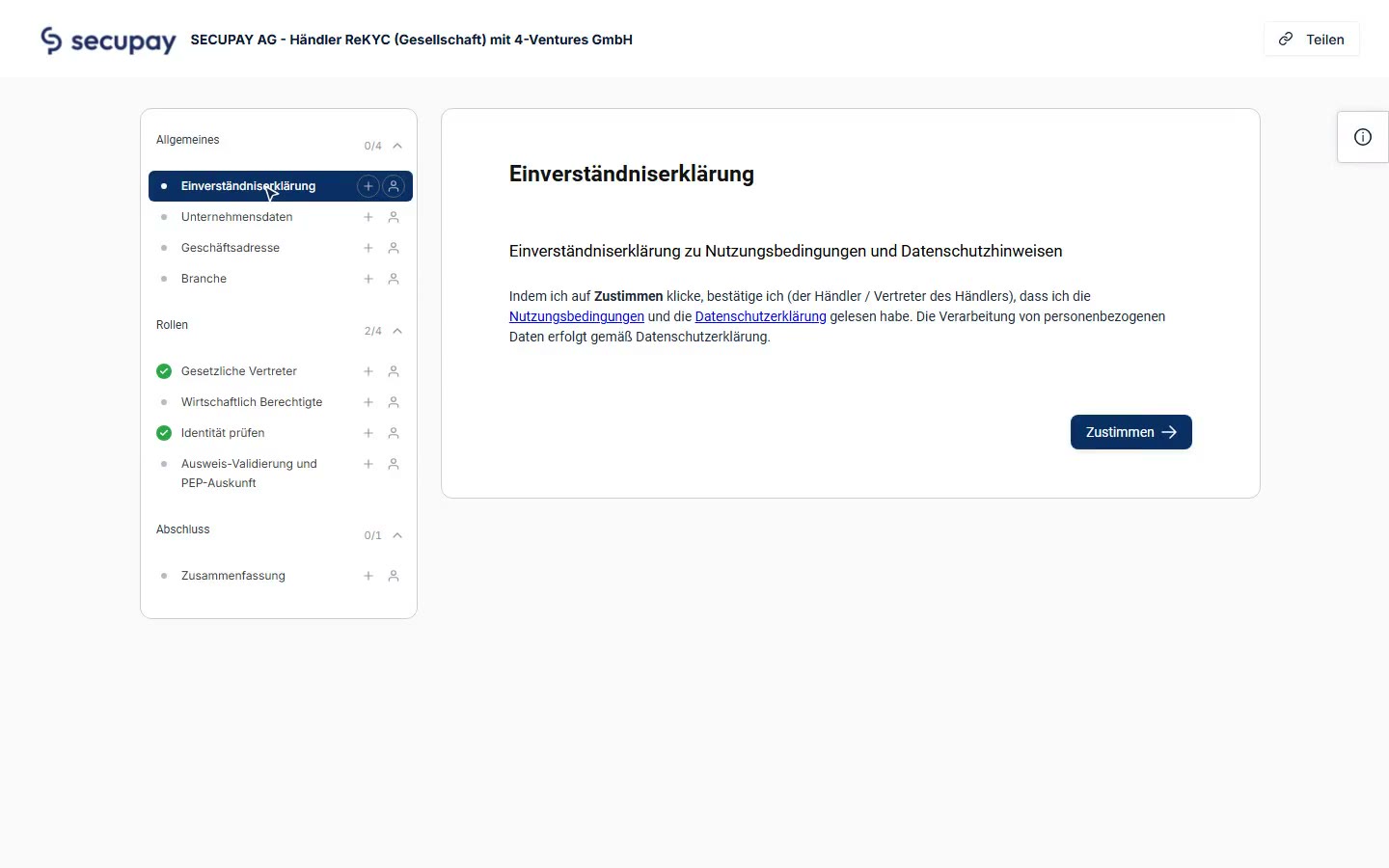
The client sees what is done and what is still missing.
- The client sees what is done and what is still missing.
- Each step explains what is needed and why.
- Answers to the frequent questions.
- Questions? Write or arrange a callback.
- From here, the questionnaire continues directly.
Follow-up
If anything is missing, the client sees on their personal help page what is done, what is missing and why it is needed.
Up to 60% fewer follow-up questions.
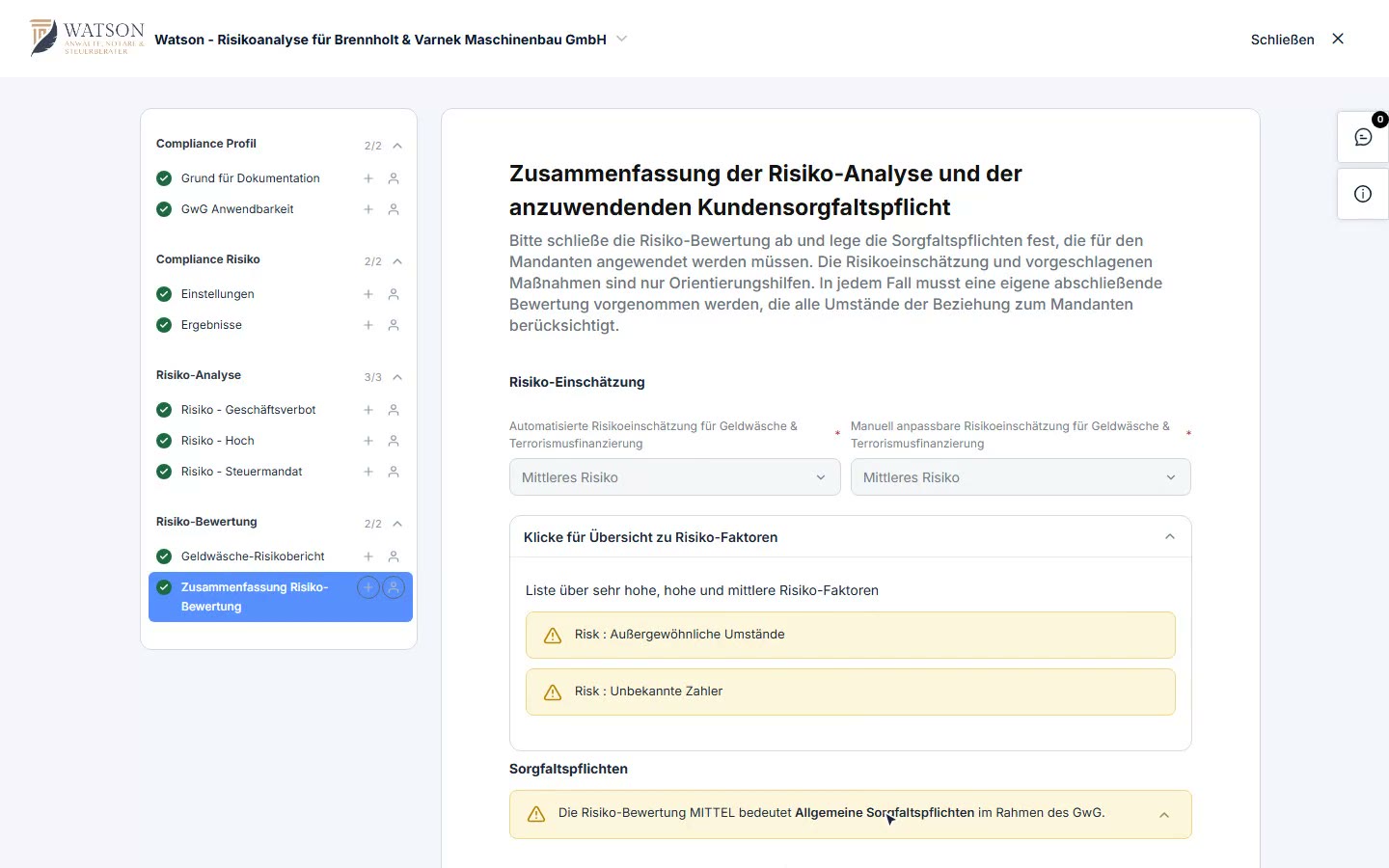
The risk assessment is generated automatically from the matter's data.
- The risk assessment is generated automatically from the matter's data.
- Rated automatically, adjustable by hand.
- Every risk factor can be traced individually.
- This determines the due diligence obligations under the GwG.
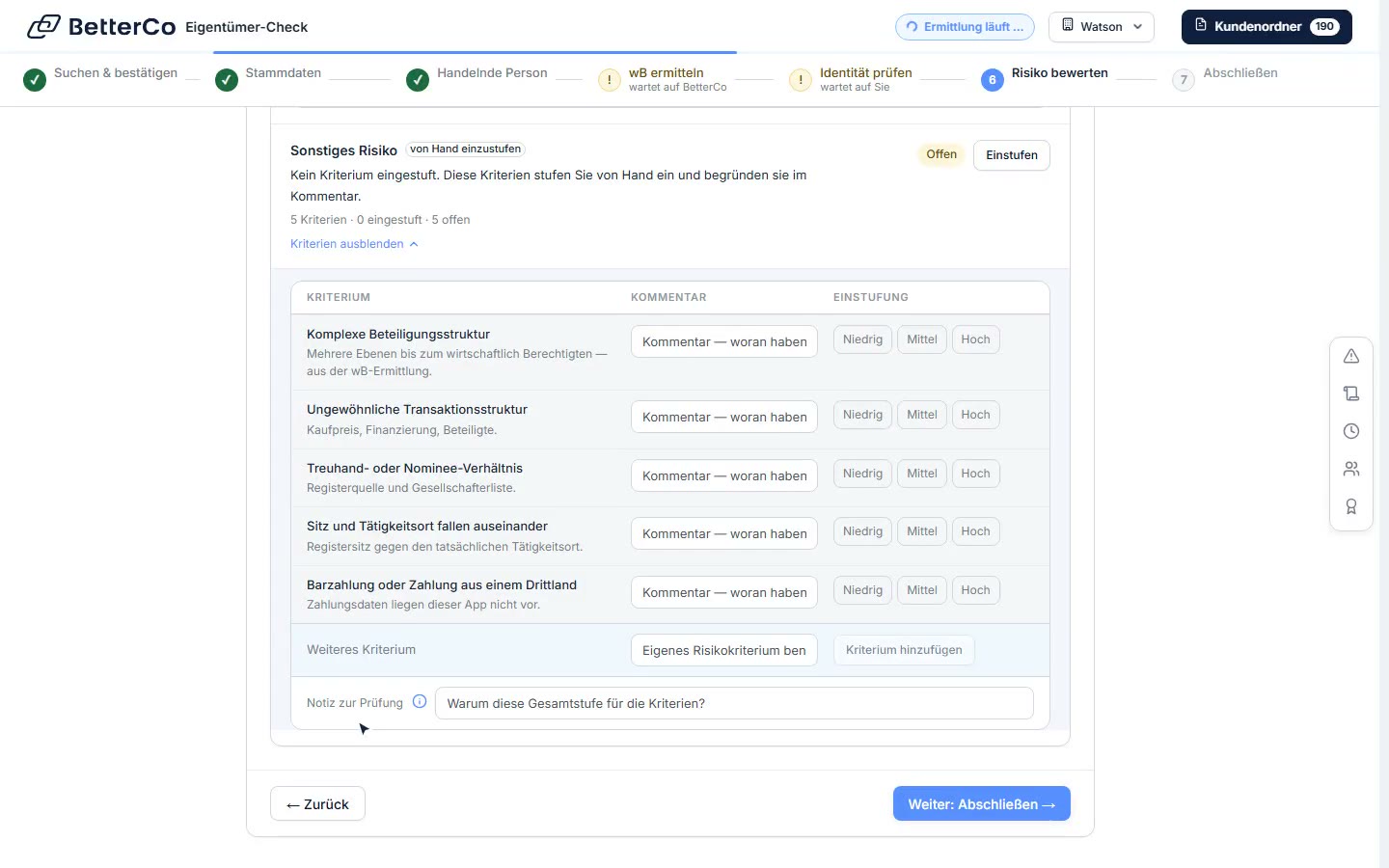
The overall risk is derived from the individual risks.
- The overall risk is derived from the individual risks.
- Screening, countries and criteria per factor.
- Where the country rating comes from.
Assess risk
The risk assessment per matter draws on the details from the request and KYC. Every factor is rated and justified.
The assessment is documented with its reasoning.
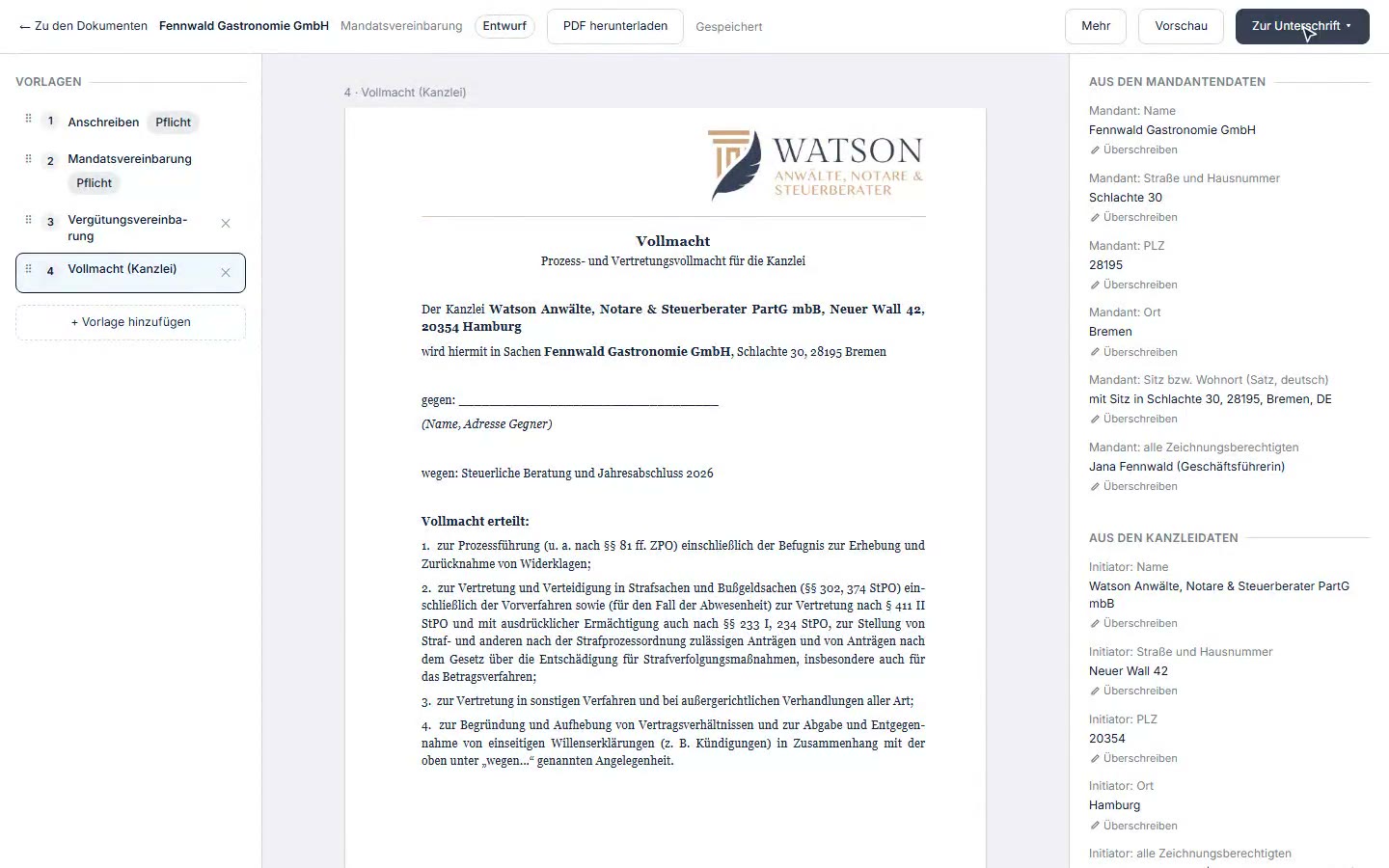
A contract package from the firm's templates, the fields fill in from the client data.
- A contract package from the firm's templates, the fields fill in from the client data.
- Every document in the package in one view.
- More templates are added with one click.
- Then the package goes straight to signature.
Contract and signature
The contract package is built from the firm's templates; the fields fill in from the client's data. Then the package goes out for signature via DocuSign.
No retyping of master data into contracts.